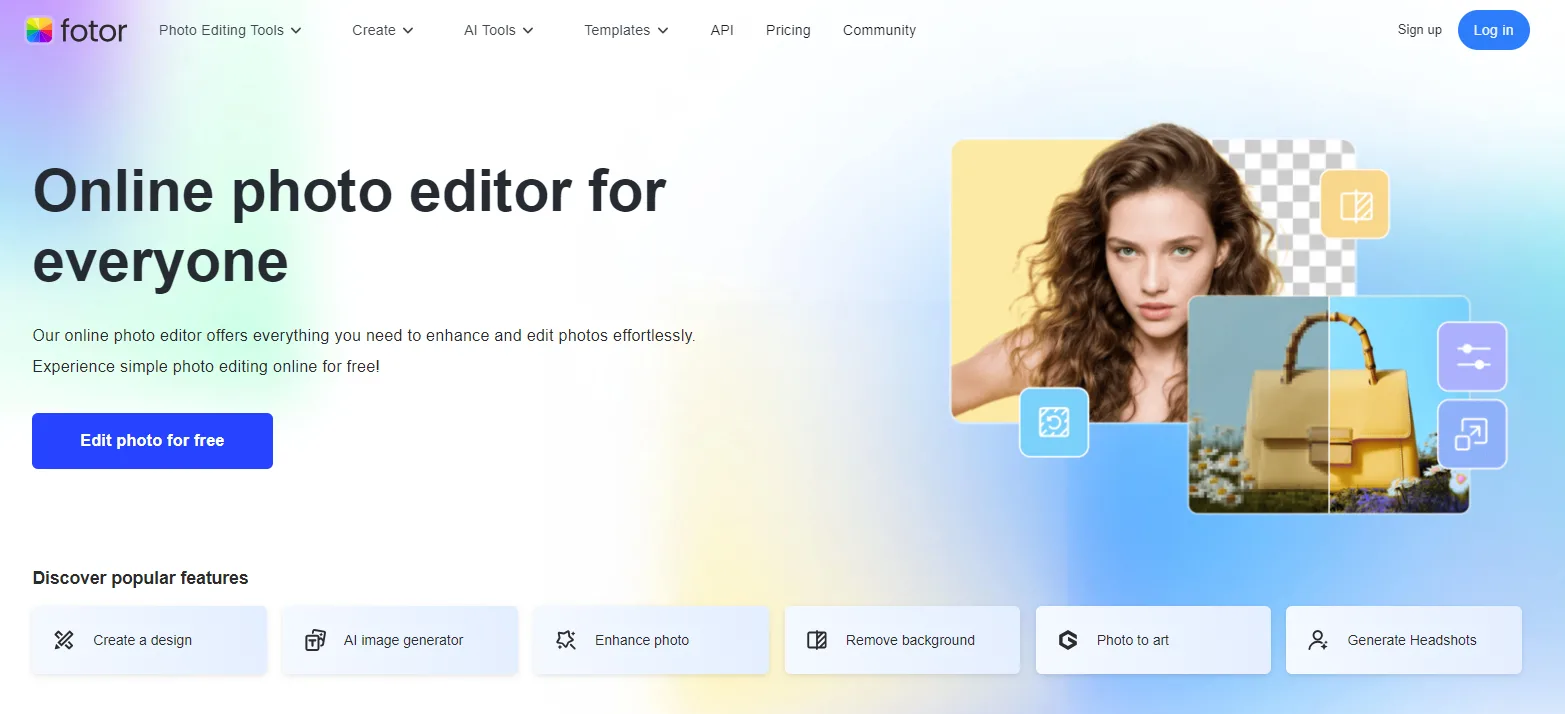

It is a time when what you post online can already tell the world a thousand words even before you open your mouth, and Fotor has transformed itself into an AI-created powerhouse of creativity that still seems to be coming as a browser-based image editing tool. Be it a professional who needs a sharp headshot or a content creator who wants to express their ideas on the screen, Fotor has a solution that makes the experience both fast and easy to use.
The AI Headshot Generator Tool/AI Video Generator Tool bedazzles the workflow to make the process to the end. It can make you turn some mundane selfies into studio-quality portraits after a couple of clicks and change bland text or pictures into lively video snippets without a degree in design or special software installation. Yet in this article, we shall dive in and understand how these flagship features perform and also point out to you the entire line-up of AI enhancements that are at your disposal, and lastly, we shall undress the latest pricing range so you can make out whether Fotor suits your brand or creative work needs.
What Is Fotor?
Fotor has evolved much beyond being a mere online photo editing tool. It is a strong and AI-powered content creation service that is used by more than 550 million users around the world today. Fotor has an easy-to-use, user-friendly, and intuitive interface that does not require installing heavy programs since it can be accessed directly via a browser or a mobile device.
Although plenty of people continue to associate Fotor with being a drag-and-drop cropping app with some filters, it has now developed a full suite of AI-driven features meant to change the way you work, whether you need high-quality headshots and branded social media graphics or create professional marketing in a few minutes.
In this article, we will focus on two of Fotor’s most impactful features: the AI Headshot Generator and the AI Video Generator, followed by a quick look at other advanced tools that make Fotor a go-to creative solution for marketers, educators, influencers, and small business owners seeking a faster, smarter way to produce high-quality content.
AI Headshot Generator: Professional Portraits Instantly
Fotor’s AI Headshot Generator can transform your casual selfie into a studio-quality portrait. This free tool “transforms your selfies into professional photos” in an instant. All you need is just upload a photo, and the powerful AI of Fotor will generate several professional headshots of different styles (indoor, outdoor, casual, formal, etc.) for you. The end product is a realistic, high-quality headshot, the best first impression ever, and the type of business profile, resume, or avatar photo desired.
To give an example, you can create a professional-looking photo on LinkedIn within several seconds or develop cohesive portraits of a whole team (a great idea to use on the corporate About Us pages). Fotor even lets you make headshots of kids: upload a few photos of your child and the AI will produce cute studio-style portraits in different outfits and backgrounds. Best of all, the service is free and watermark-free – you can regenerate as many times as you want until you’re happy.
Using the AI Headshot tool is easy and fast. For each headshot generation, you typically:
- Pick a Category: Choose from male, female, non-binary, or kid to get appropriate styles.
- Select Styles: Pick 3–10 preset headshot styles (business, creative, casual, etc.) you like.
- Upload Your Photo: Provide one of your photos or selfies.
- Generate & Download: Click Generate, and Fotor will come up with several options. Next, preview and save your best headshots to use on LinkedIn, on business websites, business cards, email signatures, and other internet-based networks.
This one-stop initiative enables everyone to have professional headshots done at an affordable cost in time and money that would have been spent on a professional studio photoshoot. According to Fotor, this helps you to “avoid the expensive cost of studio headshot photography but attain studio-level quality.”
AI Video Generator: Turn Text & Images into Video
Fotor’s AI Video Generator takes the creativity to video. You are able to get text prompts or fixed pictures converted into dynamic video clips within a few clicks. As an example, upload one photo and a brief description, and Fotor will animate the picture into a short video. Or you are able to combine many uploaded photos with short comments, and the AI will automatically mix them into a logical story video. This works even if you have no video editing skills – Fotor’s AI handles the motion, scene transitions, and visual coherence.
Video creators and social media fans will love the variety of styles Fotor offers. The tool supports themes from realistic and cinematic to cartoon and anime. For instance, one can instantly create a “Studio Ghibli” or anime-style short video to fit the latest trends. There are fun preset templates like “AI Kiss” or “AI Hug” that animate two people in photos sharing a kiss or hug. After you generate a clip, you get a high-quality video (up to 1080p) with no watermark, ready to share on TikTok, Instagram Reels, YouTube Shorts, and more. Businesses can even use it to make product videos or animated logos – for example, turning a product photo into a dynamic advertisement or spinning out a logo animation, all with just a few clicks.
Creating an AI video is straightforward:
- Enter Text or Upload Image(s): Provide a descriptive text prompt of the scene you want, or upload one/more images to animate. (Fotor supports up to 3000 words of script input.)
- Choose Style & Settings: Pick a video style (realistic, 3D animation, cinematic, etc.) and adjust the length, resolution (360p/720p/1080p), or aspect ratio.
- Generate & Download: Click Generate, and Fotor’s AI does the rest. In seconds, you’ll have a polished, ready-to-download video clip.
For example, you can paste your blog post or news script, and Fotor instantly produces a narrated video with matching visuals. This script-to-video feature is powerful for content creators and marketers: long text becomes a concise video story without manual editing.
New in 2025, Fotor added “Reference” and “First & Last Frames” modes for even more control. With Reference to the Video, you upload three guiding images, and the AI creates a video capturing their style. Using the First & Last Frames, you specify the initial and final images, and the AI does the rest of the frames. Quality is further enhanced by Advanced Mode (release Feb 2025): enhancing semantic understanding and allowing you to add to prompts using Smart Fill, and select either SD or HD output to trade speed against detail.
All the AI videos can be downloaded and shared immediately on the leading platforms, and creating something viral-worthy is easy. Fotor also provides mobile apps (iOS and Android) in the event that you want to make or edit a video using your phone on the go.
AI-Powered Image Editing Tools
Beyond headshots and videos, Fotor’s photo editor is packed with AI enhancements. With one click, you can remove backgrounds, making it trivial to isolate subjects or replace backdrops. Another click can enhance a photo’s clarity and colour, fixing blurriness and boosting detail automatically.
One-Click Enhancements:
- Background removal to isolate subjects or change backdrops.
- Photo clarity and colour enhancement, including fixing blurriness and boosting detail.
Resolution & Object Manipulation:
- AI Upscaler to convert low-resolution images to HD quality.
- AI Object Remover for seamless removal of unwanted objects or watermarks.
- AI Face Swap for realistic face blending between photos.
Photo Restoration:
- AI Restoration to repair old or damaged photos, including removing scratches and colourizing black-and-white images.
Portrait Retouching & Beautification:
- Tools to smooth skin, remove blemishes, whiten teeth, brighten eyes, and slim facial features naturally.
- Virtual makeup and hairstyle simulation.
- Body reshaping and other perfecting effects.
Creative Filters & AI Art Effects:
- Dozens of one-click filters.
- AI art effects to transform photos into cartoons, anime, Ghibli-style, vintage, or black-and-white film.
- Special filters for cartoonisation, pencil sketches, and “AI Art” for fantasy/sci-fi aesthetics.
AI Image Generation:
- Text-to-image AI generator for creating original digital art, logos, stickers, or backgrounds from text prompts.
- AI Image Extender to seamlessly expand photos with intelligent background infill.
Integrated Workflow:
- All tools are built directly into the online editor, eliminating the need for separate apps.
- Access to millions of built-in stock photos, frames, stickers, and fonts for professional styling.
Mobile Apps, Community & Multilingual Support
Fotor’s tools extend beyond the browser. It has dedicated apps so you can edit photos and generate AI content on your phone. The Fotor mobile app includes most of the same features – photo filters, beauty tools, AI effects, and now even video creation, so you can create on the go. Fotor also hosts a global AI art community where users share creations. You can browse what others have made (art, images, videos) to get inspiration or feedback.
The platform supports many languages (English, Spanish, Chinese, French, German, Japanese, Portuguese, and more) to serve a worldwide audience. In short, Fotor provides a one-stop hub for photo/video editing and design that’s accessible from desktop or mobile.
Pricing & Plans
Fotor’s pricing is transparent and budget-friendly. The Fotor Basic plan is free forever, giving you access to core editing tools, basic templates, 500MB of cloud storage, and a limited number of free AI credits. For more power, Fotor Pro is available (roughly $8.99 per month for monthly billing). Pro includes everything in Basic plus advanced AI editing tools, premium templates, higher-resolution downloads, no ads or watermarks, and 2 GB of storage.
It also grants 100 AI credits per month for generative features. The high-end Fotor Pro+ (approximately 19.99/month) provides business-focused features: brand kits (template colour/logos), batch editing of a large number of images, 100 GB storage, and 300 AI credits per month. Both paid plans are chargeable on a monthly and yearly basis (yearly plans are charged at a huge discount). A free trial or a certain number of free credits is available to try a trial of Pro features. Concisely, there is the flexibility of a free version or affordable subscriptions to increase professional use.

Why Choose Fotor?
Fotor has expanded fast and continues to transform itself. Its AI toolset rolls out virtually all of your visual requirements: there is AI Headshot and AI Video creation, artistic filters, retouching, presentation slides, and more. At the end of 2024 and the beginning of 2025, Fotor will have AI-enabled features, such as AI Slides and one-click presentation creation and beauty tools, including the AI Beard Filter and Age Changer to help people make a selfie much more impressive. These changes reflect the willingness of Fotor to introduce entertaining and helpful features to each user.
On the whole, Fotor provides an efficient, but easily intuitive editing experience to a worldwide market. Everybody will be able to enhance their selfies or create funny social videos in a few minutes, and content creators can use AI effects and templates to be seen, while business users can create professional marketing materials (headshots, product videos, branded slides) without incurring their typical expense and complexity.
A universal location with an intuitive interface (free plan) and a large feature set makes Fotor a must-have product for everyone who wants to see their professional-quality pictures and videos, followed by the assistance of AI.