

Client work often begins with documents, not design files
Agencies and consultants spend a surprising amount of time converting client knowledge into presentation form. A client sends a PDF report, a Word brief, a meeting transcript, a market note, or a product outline. The agency then has to turn that source material into a clear deck for review, sales, training, or internal alignment.
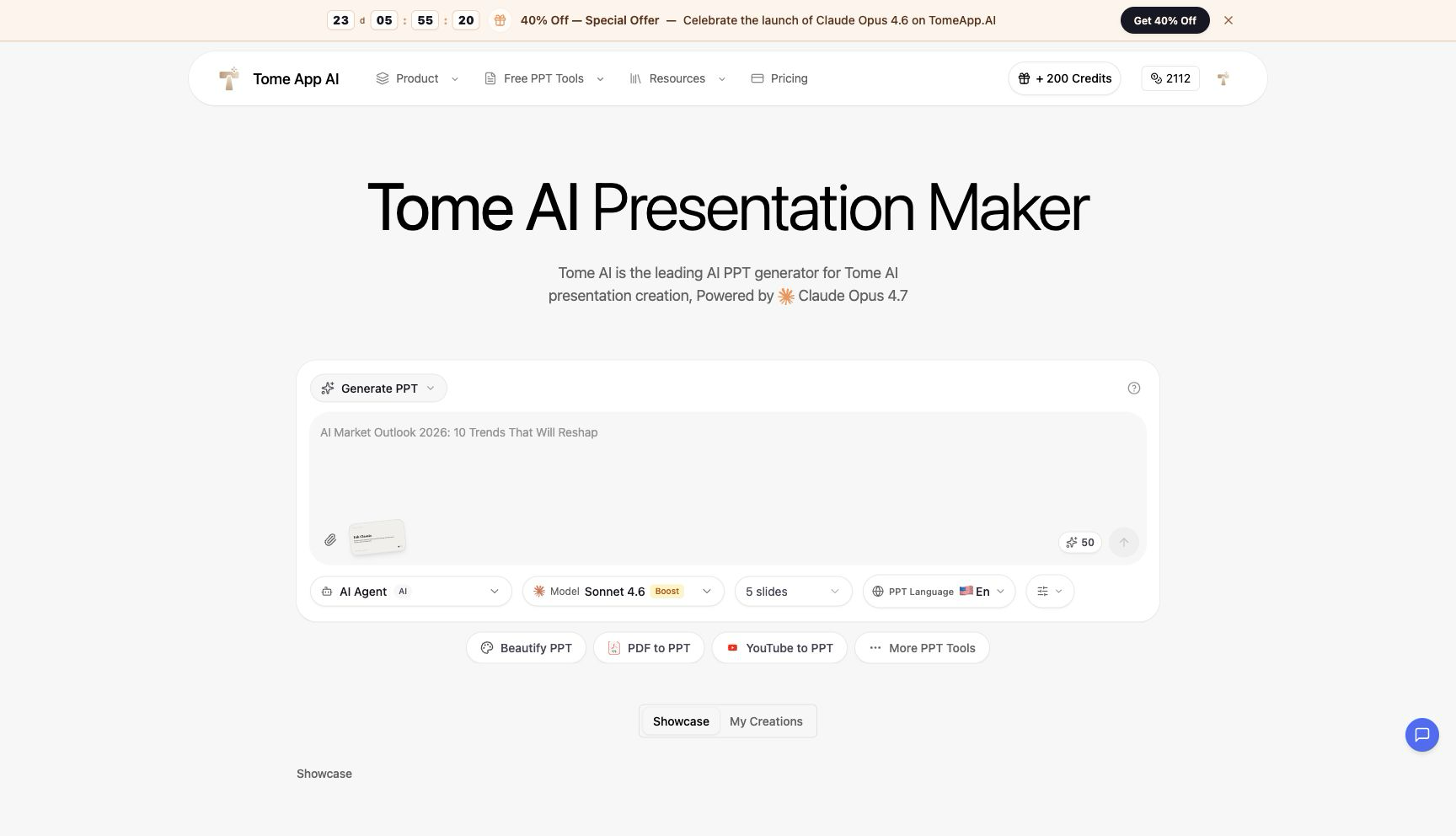
That is why Tome is worth looking at as a production workflow tool, not just an AI slide generator. The homepage shows a direct creation interface with presentation controls: AI Agent mode, model selection, slide count, language, and shortcuts to other PPT tools. The product also connects prompt-based presentation creation with document conversion, which is useful for service teams that handle many kinds of client inputs.
For an agency, the value is speed to first draft. A designer or strategist still needs to refine the deck, apply brand rules, improve hierarchy, and check the message. But before that can happen, the content needs to be organised. Tome App AI can help turn a pile of source material into something the team can review, comment on, and polish.
PDF deliverables can be repurposed for stakeholder presentations
Consulting projects often produce PDFs: audits, strategic recommendations, research findings, competitive analyses, campaign plans, and technical reports. Those PDFs are good archive formats, but clients often need the same material as a presentation for executives or cross-functional teams.
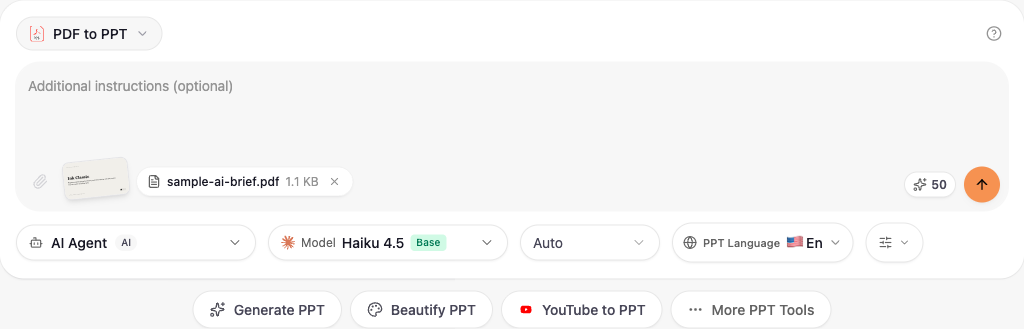
The PDF to PPT flow fits that need. I tested the upload state with a sample PDF brief, and the interface showed the selected file with its name and size. The page describes content extraction, smart layouts, editable output, and structure preservation. For a consulting workflow, that means a PDF can become a slide draft without manually copying the report into PowerPoint section by section.
The optional instruction field after upload is especially useful. A consultant could ask for a board summary, a sales enablement version, a workshop deck, or a five-slide executive recap. The ability to guide the conversion matters because client decks are rarely one-size-fits-all. I did not run the final generation step during testing to avoid spending credits, but the verified upload and setup flow already shows how the product would fit into a document-to-deck production process.
Word briefs are easier to turn into editable client-ready decks
Agencies also receive Word documents constantly: creative briefs, content outlines, discovery notes, campaign plans, and product positioning documents. These are often too detailed for a meeting, but they contain the story. The work is deciding which sections become slides and how to make the message easy to follow.
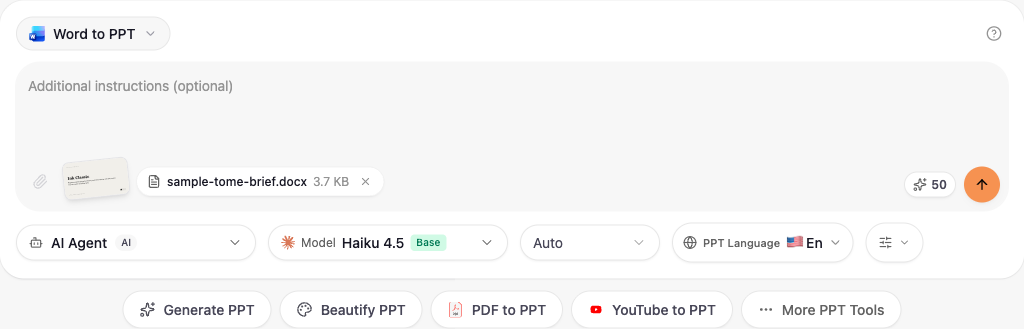
The Word to PPT Converter provides a direct route from those briefs to a PowerPoint draft. In my test, the page accepted a DOCX sample and displayed the file name, sample-tome-brief.docx, with its size. The page says it can extract headings, paragraphs, tables, and lists, then create a structured slide flow with professional layout choices and editable PPTX output.
For client teams, editable output is non-negotiable. Every deck goes through feedback: legal edits, executive preferences, brand alignment, market-specific examples, and last-minute reshuffling. A static AI artefact would slow that down. A PowerPoint draft can enter the existing review process.
The best way to use Tome App AI in agency work is as a first-pass operator. Feed it the client document, give it a clear slide objective, then have the strategist and designer improve the deck. Used that way, it can reduce mechanical assembly time while keeping humans responsible for insight, accuracy, and taste. That is a practical use of AI in presentation work: less copy-paste, faster review cycles, and more time spent improving the argument.
The client-service advantage is also operational. A team can build a repeatable intake process around source files: ask the client for the latest PDF report or Word brief, define the audience, choose a target slide count, and generate a draft for internal review. The strategist can then mark what is missing, the account lead can check whether it answers the client’s brief, and the designer can decide which slides deserve custom visual treatment. This keeps AI in the right part of the workflow. It handles the assembly work, while the agency keeps responsibility for judgment and client trust.
That division of labour is important when multiple client stakeholders are involved. One person may care about accuracy, another about brand voice, and another about whether the deck is ready for a sales meeting. An editable first draft gives every reviewer something concrete to respond to earlier in the process. Instead of debating an outline in abstract terms, the team can comment on real slides, cut weak sections, and move faster toward a version the client can approve.
There is another practical benefit for agency margins. Document-to-deck work is often hidden inside retainers, so the team may not bill every hour spent copying tables, reshaping sections, and rebuilding the same narrative in a slide format. If an AI workflow removes even part of that manual assembly, the saved time can go into clearer recommendations, stronger visuals, and better client communication. That is usually where the value of a presentation is won.
The workflow also makes handoffs cleaner. Junior team members can prepare the source file, a strategist can add conversion instructions, and a senior lead can review the first draft before design time is invested. Because the output is editable, no one is locked into the initial AI structure. The team can still replace slides, rewrite sections, remove unsupported claims, and adapt the deck to the client’s preferred tone. For client-service organisations, that blend of speed and control is more useful than a one-click final answer.