


Are you a content creator, teacher, or business owner in the UK? Want to make professional videos using just text or images? Veo 3 AI video generator, built by Google, is a smart tool that can turn your ideas into beautiful videos. Just describe what you want, and Veo 3 will create it—with smooth movement, good lighting, and even sound that matches people’s lips.
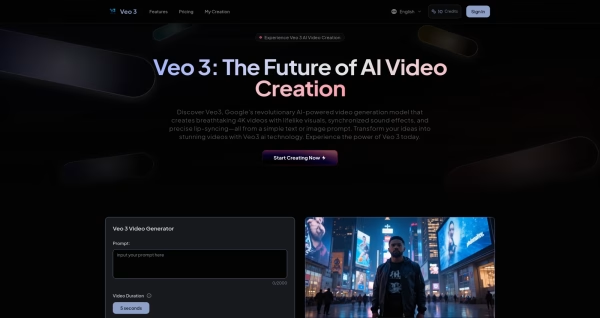
But there’s a catch. Google’s official Veo 3 tool isn’t available everywhere yet, and many people can’t use it. That’s where TryVeo3.ai comes in. It lets anyone in the UK use Veo 3 for free, with no limits, sign-up fees, or region locks. You don’t need to download anything—just visit the website and start creating.
What is Google Veo 3 AI?
Veo 3 free is Google’s newest and most powerful video generator. You type in a sentence like “a sunrise over Big Ben” or “a busy London street at night,” and the AI will make a short, movie-style video that fits your description.
It’s great for:
- Filmmakers and YouTubers
- Teachers making lessons
- Businesses creating ads
- Anyone with creative ideas
You don’t need to know video editing. Just describe your scene, and Veo 3 does the rest.
Why people in the UK are using TryVeo3.ai
TryVeo3.ai makes it simple for people in the UK to use Veo 3 without paying or waiting.
Free to use
You don’t need to pay anything or use a credit card. Just sign up and start creating.
Open to everyone in the UK
Google’s Veo 3 isn’t available to all countries yet. But with TryVeo3.ai, anyone in London, Manchester, or anywhere in the UK can use it freely.
Realistic sound and lip sync
The AI can match the audio with the characters’ lips and facial expressions. Great for short films, explainer videos, and stories.
High-quality videos
Veo 3 creates smooth, clear, and beautiful videos. Whether it’s a rainy London street or a peaceful countryside scene, the video looks professional.
How to use Veo 3 for free in the UK
Step 1: Go to TryVeo3.ai
Just visit the site—no need to download anything.
Step 2: Write a Prompt or Add an Image
Describe what you want. Example: “A foggy morning in Hyde Park with people walking their dogs”
Step 3: Click Generate
Wait a few minutes. You’ll get a ready-made video. You can watch it online and download it if you like it.
Tips for better Veo 3 prompts (with UK examples)
To get the best videos, try to be clear and detailed in your prompts.
Be specific
Instead of: “a cool place”
Say: “a rainy evening on Oxford Street with people shopping”
Add motion
Say what’s happening:
“A bus driving past Big Ben”
“Leaves falling in a London park”
Set the mood or style
Use words like:
happy, sad, quiet, busy, vintage, black and white, cyberpunk
Example: “A quiet morning on the River Thames, with boats slowly passing and soft music playing”
Use camera ideas
Try: “a drone view of the London Eye at sunset”
Or: “a slow zoom into a cafe in Shoreditch”
Veo 3 AI is now free to use in the UK on TryVeo3.ai
Veo 3 can create amazing videos with realistic people, movements, lighting, and sounds—all from a simple sentence. It’s perfect for UK creators who want fast, creative results without expensive tools.
Thanks to TryVeo3.ai, you can now enjoy these features for free in the UK—no waitlists, no downloads, no region locks.
Visit TryVeo3.ai now to try it for free and start making your own AI videos today.







