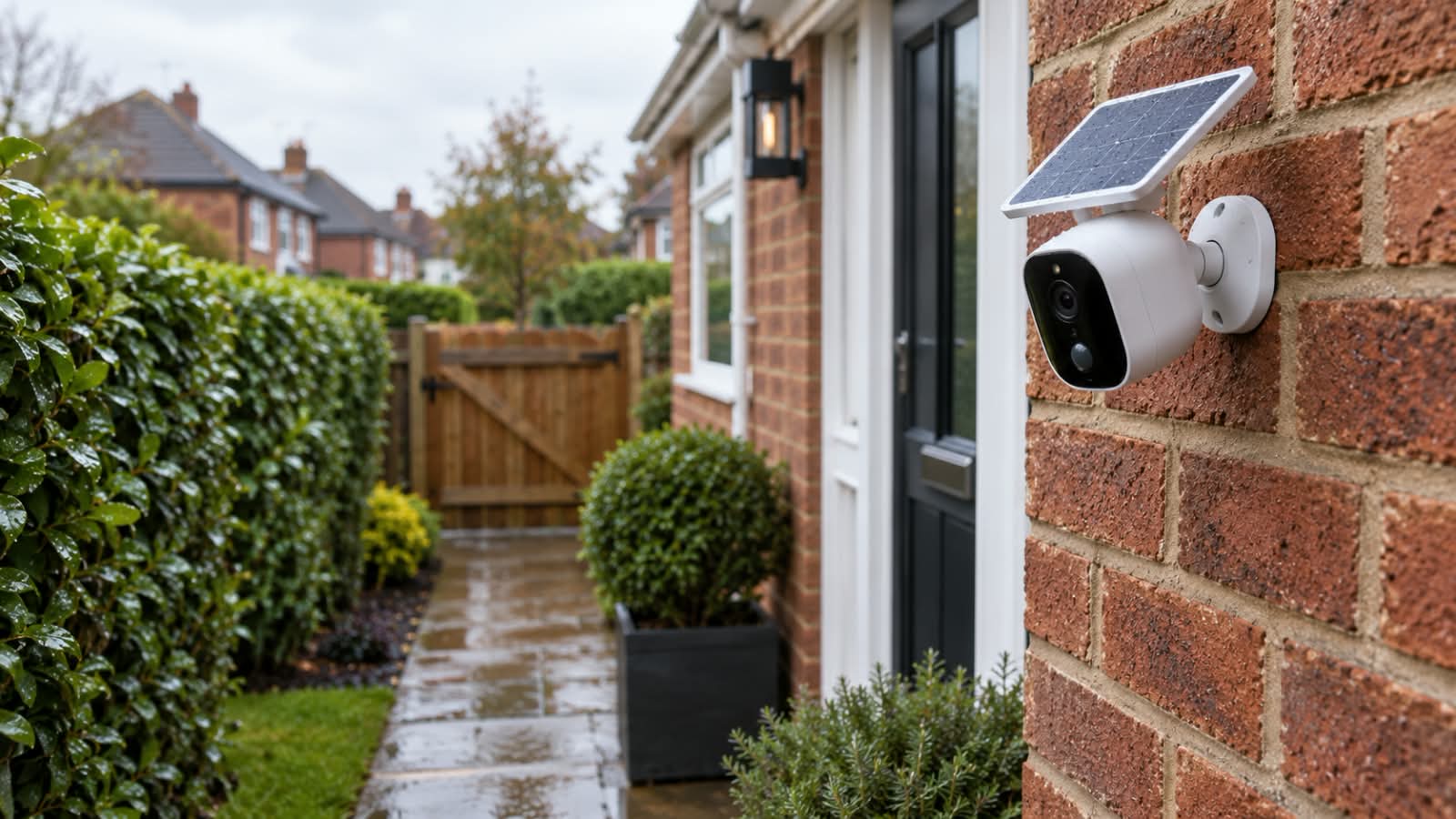

A battery security camera can be a practical choice for a home’s outdoor areas where running a power cable is difficult. Two checks matter most before buying: whether the mounting spot gets a steady 2.4GHz signal, and whether the camera’s recording mode suits what you need to capture there.
In event-recording mode with moderate activity, a WiFi camera on battery power can watch a front door, driveway or garden for weeks or months between charges. A weak signal or a poorly matched mode tends to mean delayed alerts and frequent recharging. The sections below cover the signal, the battery, the main camera types and UK privacy rules.
When Going Battery-Powered Makes Sense
The main appeal of a battery security camera is freedom of placement. With no power cable to route, it can go on a fence post, garage wall, shed or first-floor window frame, and moving it later means unscrewing a bracket rather than planning a new cable run. That also suits outbuildings and rented homes without a convenient outdoor socket.
Most battery models stay asleep until a motion sensor wakes them, record a clip and power down again, so they capture events rather than every minute. If a gate or parking space needs footage throughout the day, the camera must explicitly support that recording mode, and its power supply must be able to sustain it. A solar panel alone does not add continuous recording to an event-only camera.
Getting the WiFi Signal Right Before You Mount Anything
A battery-powered WiFi camera has a limited energy supply, so connection quality matters as much as coverage. A weak WiFi link can delay alerts, slow live view, and interrupt cloud uploads, and repeated reconnection attempts may use extra charge. Whether the camera records the opening moments of an event is a separate question, tied to its detection and wake-up behaviour.
Why 2.4GHz Still Matters
Many battery cameras connect on 2.4GHz only. That band carries less data than 5GHz but reaches further and passes through walls more easily, which suits cameras mounted outside. Some routers broadcast both bands under one network name, and setting up a separate 2.4GHz name can make pairing smoother.
A Quick Signal Check at the Mounting Spot
A phone gives only a rough reading, since camera antennas differ, but a spot where the phone struggles rarely suits a WiFi camera. Before drilling, it is worth checking a few things from the exact position:
- Signal strength on a phone joined to the same 2.4GHz network
- Whether a video stream plays for a minute without stalling
- How many walls, especially thick brick or stone, sit between the spot and the router
- Whether a mesh node or extender could go closer if the reading is marginal
What Actually Decides Battery Life
Published runtimes assume a particular recording mode and number of wake-ups, so they work best as an upper guide rather than a promise. Real runtime depends on the selected recording mode, activity levels, night lighting and the amount of sunlight reaching any panel.
Traffic in the Camera’s View
For motion-triggered models, frequent wake-ups are a major cause of battery drain. A lens facing a quiet side passage might trigger a few times a day, while one aimed at a pavement or busy road can wake far more often. Aiming at your own path or door, not the street beyond, helps both battery life and privacy.
Settings That Change the Numbers
Most apps let you trade coverage against charge. These are the settings worth reviewing first:
| Setting | What it changes | Sensible starting point |
|---|---|---|
| Motion sensitivity | How readily passing cars, pets or other movement set off recording | Mid level, adjusted after a few days of alerts |
| Clip length | How long the camera stays awake per event | Long enough to capture a whole visit, shortened only if charge runs low |
| Person detection | Mainly which movements produce alerts; any battery saving varies by model | On for paths and entrances |
| Night lighting | Extra drain when spotlights switch on after dark | Reserved for spots where deterrence matters |
| Live view | How long the radio stays active while you watch | Brief check-ins rather than leaving it open |
Cold Weather
Lithium-ion cells deliver less of their stored charge in the cold, so a British winter can shorten runtime even when activity stays the same. Charging should also stay within the manufacturer’s stated temperature range, which may be narrower than the range the camera can operate in.
Where Solar Fits
A small panel will not suit every position, but with a clear view of the sky it can offset much of a moderately busy camera’s daily drain. South-facing spots away from eaves and trees work best, and short winter days mean even a well-placed panel may need occasional help from a USB charge.
Matching the Camera Type to the Spot
Battery cameras broadly fall into three types, and each suits a different part of the home.
Fixed-Lens Cameras for Doors and Side Passages
A fixed-lens camera points in one direction and suits entrances where you need a clear close-up of faces and parcels rather than a wide sweep. Many use a passive infrared (PIR) sensor, which reacts to moving heat sources and wakes the camera to record. When comparing models, look at the field of view, the stated detection range and how quickly the camera starts recording after it wakes.
Pan-and-Tilt Cameras for Larger Gardens
Pan-and-tilt cameras can be turned remotely from an app, which suits larger gardens or yards where the area of interest changes. It is worth remembering that they record only the area the lens faces at that moment, so they do not replace several fixed cameras. A detachable solar panel can be useful here, as it can sit in sunlight while the camera watches a shadier corner.
Continuous-Recording Cameras for Drives and Parking Areas
Some newer battery cameras offer a low-power continuous mode, often called always-on video (AOV). Instead of recording only clips, they keep a low-frame-rate record throughout the day and switch to smoother video when movement is detected. This suits a drive or parking area where a fuller record matters, but it uses more power, usually needs a larger battery with solar charging, and often requires a memory card for round-the-clock recording.
Storage and the UK Rules on Filming Beyond Your Boundary
Footage can stay local, in the cloud or both. Local storage usually means a microSD card, so check the maximum card size a camera supports. Free cloud plans often keep only short clips for a limited number of days, which works better as an alert record than as full evidence storage.
Placement carries legal weight too. The Information Commissioner’s Office says data protection law applies once a home camera captures someone else’s property, a public area or shared space, and it treats recorded voices as personal information as well. Owners then need CCTV signs, secure storage, regular deletion and a way to answer requests from people filmed, and should not capture more than they need.
A Sensible Order for Deciding
A clear buying order separates questions that often get blurred. The first is what you need to see and identify, at what distance, by day and at night. The second is whether event clips, low-frame-rate continuous recording or smooth continuous video fits that need. The last is whether the spot’s WiFi, sunlight and charging access can support it. A battery camera that passes all three checks is far more likely to stay useful.