


Creating slides used to take hours. Now AI can do most of the work for you.
In this guide, we look at the best AI presentation makers in 2026 that help you create slides faster and smarter.
1. Dokie AI
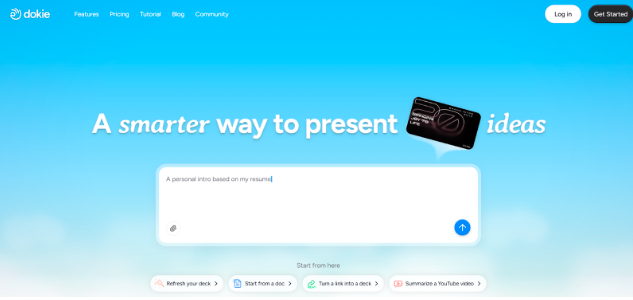
Dokie AI is one of the most practical AI PPT makers for work and business use. It focuses on helping users create clear and structured slide decks quickly. Many tools generate slides that look good but are hard to present. Dokie AI takes a different approach by building presentations that follow a traditional PowerPoint style.
You can start with a simple prompt, a topic, or a document. The tool will create a full presentation outline and fill each slide with key points. The slides are organised in a way that makes sense for meetings, reports, and client presentations.
Dokie AI also allows easy editing after generation. Users can change the content, adjust layouts, and export the slides to PowerPoint. Because the structure is strong from the start, users spend less time fixing slides.
For marketing teams, consultants, and business users, Dokie AI is often seen as one of the best AI slides generators available today.
Pros
- Strong presentation structure
- Great for business and marketing slides
- Easy PowerPoint export
- Fast slide generation
Cons
- Fewer design templates than some tools
- Still a newer platform
2. Gamma APP
Gamma APP is one of the most well-known AI presentation makers today. It focuses on creating modern and interactive presentations that feel more like web pages than traditional slides.
Instead of building slides one by one, Gamma lets users create flowing content blocks. The AI can turn a simple prompt into a full presentation with text, images, and layouts. This makes Gamma very fast for creating drafts.
Many users like Gamma because it is easy to share presentations with others. You can simply send a link instead of exporting files. Teams can also edit the presentation together in real time.
However, Gamma presentations sometimes feel less structured than traditional PowerPoint decks. This can make them harder to use in formal meetings or reports.
Still, Gamma APP remains one of the best AI presentation makers for quick presentations and creative storytelling.
Pros
- Modern presentation style
- Very fast AI generation
- Easy sharing with links
- Clean interface
Cons
- Less traditional slide structure
- Export options can be limited
3. Presentations AI
Presentations AI is a powerful AI slides generator that focuses on speed and smart design. The tool helps users turn ideas into full presentations within minutes.
Users can start with a topic, short text, or a few bullet points. The AI will build a full slide deck with titles, content, and visuals. It also tries to match layouts automatically so slides look clean and balanced.
One strong feature of Presentations AI is its smart design system. The AI adjusts colors, fonts, and spacing so slides stay consistent. This helps users who do not have design skills.
The tool also supports collaboration. Teams can work together on the same presentation and edit slides easily.
While the AI works well for quick drafts, some users may still want to adjust the content manually to better fit their presentation goals.
Overall, Presentations AI is a strong option for people who want a fast and simple AI PPT maker.
Pros
- Very fast slide generation
- Smart layout adjustments
- Good for team collaboration
- Easy to learn
Cons
- Content sometimes needs editing
- Fewer advanced features
4. Beautiful AI
Beautiful AI focuses on one main goal: making slides look clean and professional. It is one of the most popular AI presentation makers for design-focused presentations.
The platform uses smart templates that adjust automatically. When users add text, images, or charts, the layout changes to keep slides balanced. This helps prevent messy or crowded slides.
Beautiful AI is especially useful for people who want polished slides without spending time on design details. The templates help keep fonts, spacing, and colors consistent across the whole presentation.
However, Beautiful AI works more like a smart design tool than a full AI slides generator. It helps with layout and formatting but may not generate full presentation content like some other tools.
Even so, many teams use Beautiful AI because it makes presentations look professional with very little effort.
Pros
- Excellent slide design
- Automatic layout adjustments
- Professional templates
- Easy to use
Cons
- Limited AI content generation
- Less flexible slide control
5. SlidesGPT
SlidesGPT is a simple AI PPT maker that focuses on generating slides from prompts. Users can type a topic or question, and the AI will create a presentation outline and slide content.
This tool is very helpful for students, teachers, and people who need quick presentations. Instead of starting with a blank slide, users can generate a full draft in seconds.
SlidesGPT works well with PowerPoint and Google Slides. This makes it easy to edit or present the slides later.
Because the tool focuses mainly on content generation, the design side is more basic. Users may want to adjust the visual style after exporting the slides.
Still, SlidesGPT is one of the easiest AI slides generators to use for quick presentations.
Pros
- Very easy to use
- Fast slide creation
- Works with PowerPoint and Google Slides
- Good for simple presentations
Cons
- Basic slide design
- Limited editing features inside the tool
6. Canva Magic Design for Presentations
Canva has added AI tools that help users generate presentations quickly. The Magic Design feature can turn text or documents into full slide decks.
Because Canva already has many templates and design tools, the AI-generated slides often look visually strong. Users can also edit everything easily with Canva’s drag-and-drop editor.
Another advantage is Canva’s large library of images, icons, and charts. Users can quickly improve their slides by adding visual elements.
However, Canva’s AI presentation features focus more on design than deep content generation. Users may still need to write or improve the slide text themselves.
For people who want visually attractive slides, Canva remains a popular AI presentation maker.
Pros
- Large template library
- Strong design tools
- Easy editing system
- Huge media library
Cons
- AI content generation is limited
- Can feel like a design tool first
7. Tome
Tome is an AI presentation maker designed for storytelling and creative presentations. Instead of traditional slides, Tome creates a narrative flow across pages.
Users can write a prompt and let the AI generate text, images, and layouts. The result often looks more like a digital story than a typical slide deck.
This format works well for product ideas, creative projects, and startup pitches. The AI also helps create visuals and layouts that match the topic.
However, Tome presentations may not work well in traditional business meetings where PowerPoint-style slides are expected.
Still, Tome remains one of the most creative AI slides generators available today.
Pros
- Great for storytelling
- Creative layouts
- Strong AI visual generation
- Modern presentation style
Cons
- Less traditional slide format
- Not ideal for formal reports
8. Plus AI
Plus AI is designed to work directly inside Google Slides. Instead of using a separate platform, users can generate slides within the tools they already use.
This makes Plus AI very convenient for teams that rely on Google Workspace. Users can ask the AI to create slides, rewrite content, or expand ideas.
The tool can also help turn documents into presentations. This saves time when building reports or summaries.
Because Plus AI works as an add-on, the design features depend on Google Slides templates. The AI mainly focuses on content creation rather than visual design.
Even so, Plus AI is a useful AI PPT maker for teams that want AI help without leaving their existing workflow.
Pros
- Works inside Google Slides
- Easy for teams to adopt
- Helpful AI writing tools
- Good for reports and summaries
Cons
- Design depends on Google Slides
- Fewer standalone features
How to Choose the Best AI PPT Maker
When choosing an AI presentation maker, it helps to think about your main goal.
Some tools focus on content generation, while others focus on design and layout.
For example:
- If you need business-ready slide structure, tools like Dokie AI work well.
- If you want modern web-style presentations, Gamma may be better.
- If you want beautiful slide design, Beautiful AI or Canva are good choices.
The best AI slides generator depends on how you create and present your slides.
FAQs
1. What is an AI presentation maker?
An AI presentation maker is a tool that uses artificial intelligence to create slides automatically. You can enter a topic or text, and the AI will generate slide titles, content, and layouts.
2. Are AI PPT makers free?
Some AI PPT makers offer free plans, but many advanced features require paid plans. Free versions usually limit the number of presentations you can create.
3. Can AI create a full PowerPoint presentation?
Yes. Many AI slides generators can create a full presentation with multiple slides. Some tools also allow direct export to PowerPoint files.
4. Are AI-generated presentations good for business meetings?
Yes, but it depends on the tool. Some platforms create more structured slides that work well for reports and meetings, while others focus on creative storytelling.
5. Do AI presentation makers replace PowerPoint?
Not completely. Most AI presentation makers work alongside PowerPoint or export slides to it. They help create slides faster but users still edit and present the final deck.
Conclusion
AI presentation makers are changing how people create slides. The best AI PPT makers help users turn ideas into presentations in minutes, saving time while improving slide quality.







