


If you have completed your job search and landed your ideal job, naturally, you must be looking out to cancel your subscription on CV Machine. The platform has made the cancellation phase quite convenient. You have multiple options to cancel your subscriptions and can choose the one that suits you best.
In this article, we will walk you through the manageable and straightforward process of cancelling your subscription. In addition, we will discuss the billing cycle and the refund policy of CV Machine. Let’s dive in deep to understand the seamless cancellation of your subscription.
How to Cancel Your CV Machine Subscription
CV Machine allows multiple ways to cancel your active subscription. You will not be charged further for the subscription. Simply follow the following steps to cancel your subscription:
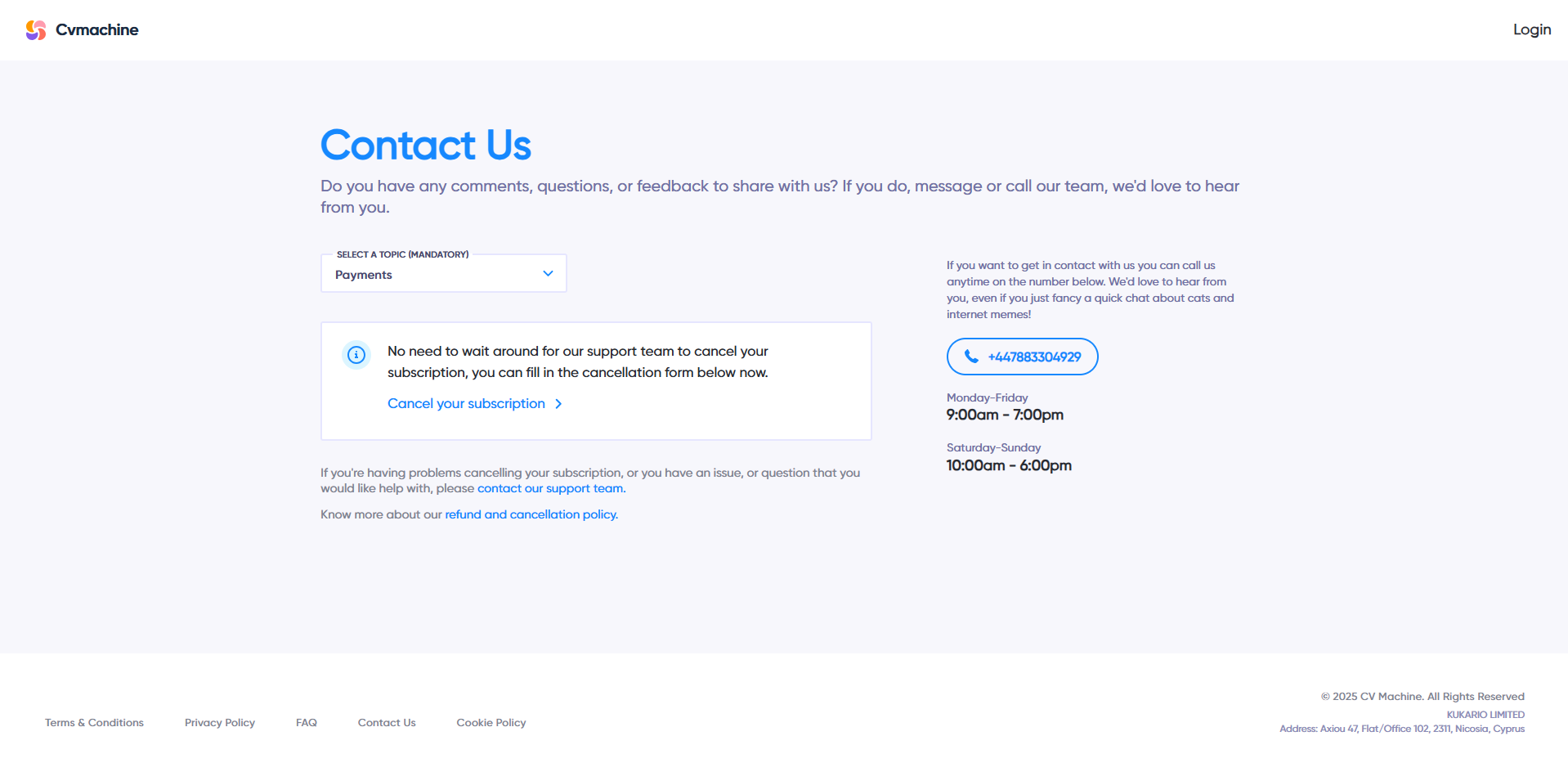
- Go to the contact form and select the “Payments” as the mandatory topic. Click on the cancel subscription link, which will redirect you to the cancellation page. Fill in your email and hit the cancel button. Your subscription will be cancelled immediately.
- Navigate to the website footer and click on the “Cancel Subscription” button.
- Click on the “Downgrade Link” in your account page.
If you do not see the cancellation confirmation in your inbox, please check your spam folder.
You can also delete your account from CV Machine permanently by following these steps:
- Log in to your account
- Go to account settings from the dropdown on your profile at the top right corner
- Scroll down to Delete account section and click on “Yes, Delete my account”
By following these steps, your plan will be deactivated immediately.
What You Have to Provide While Cancelling
CV Machine does not require long reasoning from you when you plan to cancel the subscription. They will just require the actual proof of subscription purchase. So, you have to share the following things with the support team for cancellation through email or the contact form:
- The email you used to create the account
- The screenshot of the successful purchase order ID that you received on your email at the time of purchase.
Understanding CV Machine’s Refund & Cancellation Policy
Like any other platform, CV Machine also has some refund and cancellation policies. The platform has enabled anytime cancellation to ensure mistaken purchases are served. Here we will discuss the prominent policies one must know before cancelling their subscription:
- Once you submit the cancellation request, the future billing cycle will stop immediately and will not be charged anymore.
- Refunds will only be made to the accounts that have officially purchased the subscription directly from CV Machine. Refunds will not be given if you purchased the subscription from any third-party vendors.
- Once your refund will be approved, the payment will be reversed back to your bank account with which you made the purchase. Payments are processed within 2 to 10 days and can take up to 45 days in case of certain payment methods.
Important Steps to Take Before You Cancel
Your professional documents, be it a resume or a cover letter are assets for your professional growth. Once you cancel your subscription, your professional documents will be removed. So it is advised to have them saved in your mobile or desktop beforehand. You can use them later to apply for future jobs by making a few amendments. You can download the document in the following formats:
- DOCX
- One-page PDF
- A4 PDF
This will help you retain everything you created using CV Machine. This is a must step to take before you cancel your active subscription.
What Happens After You Cancel
Once you cancel your active annual or monthly subscription, you will get a confirmation email. You will not be charged anymore, as the future billing will stop immediately. Depending on your cancellation, you might continue to have access until the of your current billing period.
Is It Worth Keeping Your CV Machine Account Active?
Before fully unsubscribing, you must review if you would need it further. Since the AI features and professional templates are quite helpful in generating your professional documents. If you plan to continue job searching in future or want to update your resume regularly, you can keep the subscription active in order to save time.
Final Thoughts
Unsubscribing from CV Machine’s active plan is quite easy when you follow the suggested approach. Reaching out to them through the contact form, confirming the cancellation from your emails and backing up your documents end your subscription cleanly.
The clear policies and cancellation steps of CV Machine makes it a hassle-free experience. You can cancel if you are done with the job search or need a break. CV Machine always welcomes you back whenever you want to renew your subscription.







