
Ask a manager how many hours their team worked last week, and you will often get an estimate. Ask for the exact figure, person by person, with breaks and lateness worked out, and the answer usually involves a spreadsheet, a call to a supervisor, and an hour of checking.
That gap between “roughly” and “exactly” is where money leaks out. Better software closes it. This guide explains how modern time and attendance tools work, which clocking methods suit which workplaces, what to check on data protection, and how to roll a system out without upsetting your team.
Why Manual Time Tracking Costs More Than You Think
Paper sheets and shared spreadsheets feel free. They are not. The cost simply turns up somewhere else:
- Rounding and guesswork. Hours rounded in one direction, a few minutes at a time, add up across a team over a year.
- Buddy punching. One person clocks in for a colleague who is running late. Paper and PIN-based systems make this easy.
- Payroll rework. Someone retypes handwritten hours into payroll, and every retyped figure is a chance for a mistake.
- Missed patterns. Repeated lateness or short-term sickness stays hidden until it becomes a bigger problem.
- Weak evidence. If a dispute arises, a stack of amended timesheets is hard to defend.
There is a legal side too. UK employers need to be able to show they respect the 48-hour average weekly limit (unless a worker has opted out), rest-break entitlements and National Minimum Wage rules. Accurate records are your evidence. Rules change, so check current guidance on GOV.UK or with an adviser.
What Time and Attendance Software Actually Does
At its simplest, a time and attendance system records when people start and finish work, then turns those records into figures you can pay and plan around. Good software does three jobs.
1. It captures the clocking
Employees clock in at a terminal, on a phone app or on a shared device. The time is stamped automatically, so nobody can adjust it later without leaving a visible trail.
2. It applies your rules for you
Overtime bands, unpaid breaks, rounding, shift patterns and flexitime all follow rules that differ from business to business. The software applies them the same way every time. Chronicle Online’s time and attendance software, for instance, handles daily, weekly and monthly overtime rules, as well as flexitime calculations.
3. It reports and hands over to payroll
Managers see who is in, who is late, and who has not turned up, as it happens. Approved hours then flow to payroll software or export to your existing provider, with no retyping.
- Recording hours: by hand on paper or spreadsheets, versus an automatic time stamp at clocking.
- Calculating overtime: a supervisor works it out, often late, versus rules applied instantly.
- Spotting absence: discovered when someone checks, versus alerts for missed clockings and no-shows.
- Preparing payroll: retyping and cross-checking, versus approved hours exported or integrated.
- Audit trail: amended paper that is hard to verify, versus every edit logged with who and when.
Choosing the Right Way to Clock In
No single method suits every workplace. A logistics depot, a head office and a building site have very different needs, and many firms mix methods across sites. Here is a quick comparison.
- Fingerprint terminal: suits factories, warehouses and shared-access sites. Wet or dirty hands can affect reading.
- Facial recognition: suits busy, contactless entrances. Lighting and terminal position matter.
- Card or fob (proximity): suits offices and lower-risk sites. Cards can be lent or lost.
- Smartphone app: suits remote, field and hybrid staff. It needs a phone, and you should be clear on location data.
- Portable biometric terminal: suits construction sites and events. Store it securely and plan for enrollment.
How a biometric time and attendance system works
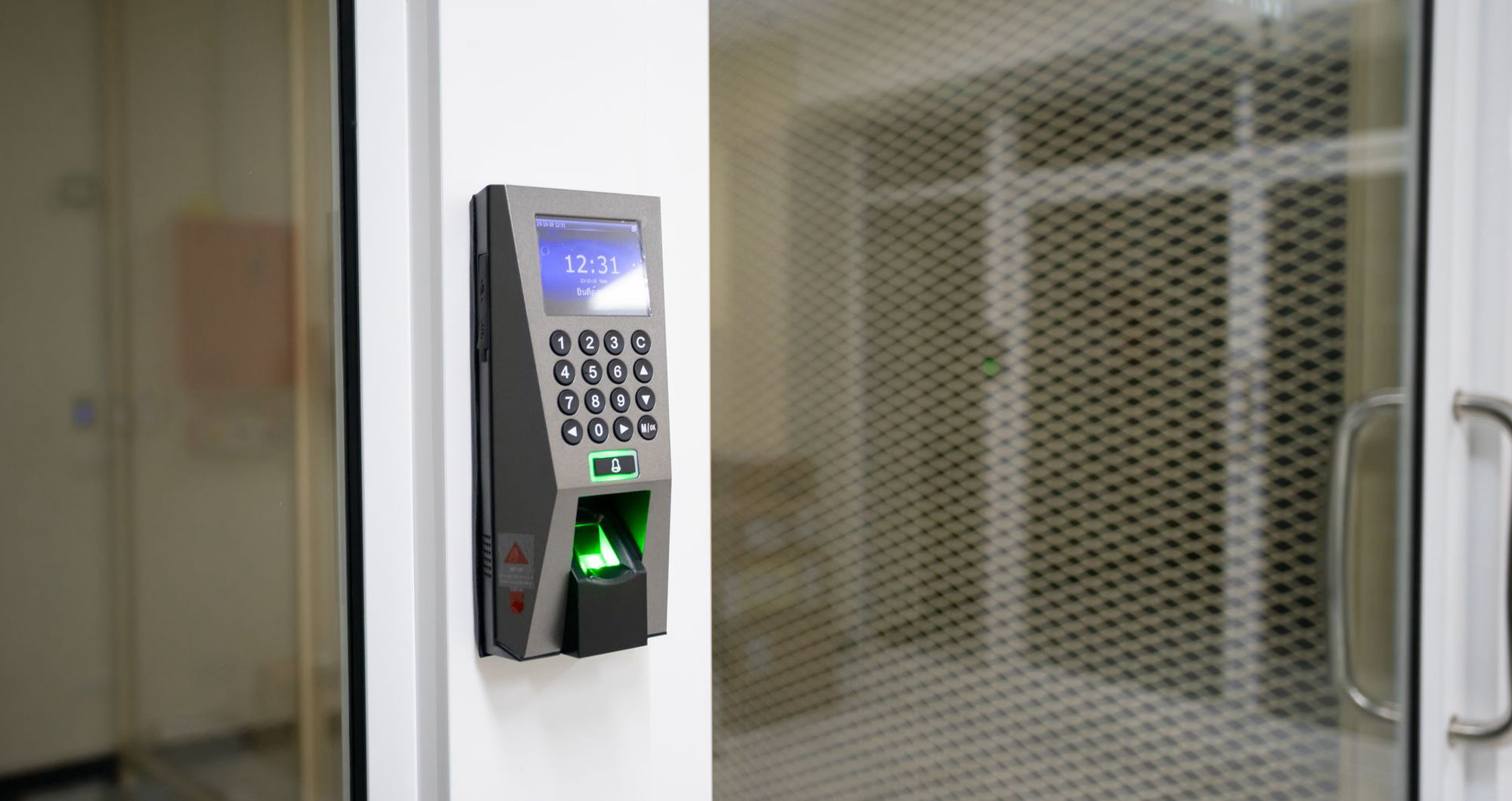
A biometric time and attendance system identifies each person by a physical trait rather than a card or PIN. Because the trait cannot be handed to a friend, buddy punching largely disappears.
Most systems do not store an image of a fingerprint. They store a template, a mathematical record of key points in the pattern. Chronicle explains that its fingerprint templates cannot be reverse-engineered to recreate a fingerprint and are not suitable for law-enforcement matching. You can see how this works on its biometric terminals page.
It is worth being realistic, too. Not every employee can be enrolled, and dust, moisture or vandalism can affect a device. Correct installation, careful enrolment and regular sensor cleaning make the difference between a system people trust and one they work around.
Data protection: what the ICO expects
Under UK GDPR, biometric data used to identify someone counts as special category data. In practice, that means you need a lawful basis and an additional condition for processing, a Data Protection Impact Assessment (DPIA), and a clear privacy notice. The Information Commissioner’s Office (ICO) also expects you to offer a reasonable alternative to anyone who cannot or does not wish to use biometrics.
Mobile and remote teams
Not everyone works at a fixed door. For sites without a network connection, portable biometric terminals let teams clock in and out with no data point required. Chronicle reports that construction and events clients use them for exactly that reason.
For staff who travel between locations or work from home, a smartphone clocking app captures hours remotely. Geo-fencing can attach the right cost centre or site to each clocking, which helps with job costing as well as attendance.
Features Worth Paying For
Vendor feature lists run long. These are the ones that tend to earn their keep:
- Real-time visibility across every site, not an end-of-week report.
- Configurable rules for overtime, breaks, flexitime and shift patterns.
- Instant alerts for missed clockings, late arrivals and missed breaks.
- Employee self-service for holiday requests, timesheet checks and shift swaps.
- Payroll and HR integration through an API or standard export, so hours are never rekeyed.
- Audit trail and reporting, including standard reports you can run without a developer.
- Security credentials, such as Cyber Essentials certification and independent penetration testing.
How to Roll Out New Time Tracking in Six Steps
- Write down your rules. Overtime, breaks, rounding, and holiday policies must be clear before they are configured.
- Map your sites and teams. Decide which clocking method suits each group.
- Check the data protection basics. Complete a DPIA if you are using biometrics and update your privacy notice.
- Run a pilot. Start with one team for two to four weeks and gather honest feedback.
- Train supervisors first. They will field most questions, so they need to be confident.
- Review after 90 days. Compare corrections, payroll queries, and lateness against your baseline.
Common Mistakes to Avoid
- Buying on price alone and finding later that payroll integration costs extra.
- Introducing biometrics without explaining why, which invites suspicion.
- Copying paper-era rules into the software rather than tidying them up first.
- Skipping supervisor training, then blaming the software for poor adoption.
- Ignoring the data. If nobody reads the reports, you have bought an expensive clock.
Measuring Whether It Is Working
Track a handful of simple measures and review them monthly:
- Post-event timesheet corrections: show how reliable the raw clocking data is.
- Payroll queries per month: show whether hours are accurate when they reach payroll.
- Hours spent preparing payroll: show the admin time saved.
- Lateness and absence trends: show where to coach or adjust rotas.
- Overtime versus budget: shows whether labour costs are under control.
Real-World Example: Managing 500+ Staff on One Site
Scale is where the value of automation shows. According to Chronicle, Bridgnorth Aluminium manages more than 500 employees with its software across a 27-hectare site, with real-time staff visibility and streamlined shift scheduling. You can read the details in the Bridgnorth Aluminium case study.
Your business may be far smaller, and the principle still applies. Whether you have 15 people or 1,500, accurate records are cheaper to create at the point of clocking than to reconstruct afterwards.
Conclusion
Better time tracking is not about watching employees more closely. It is about replacing guesswork with accurate information, so employees are paid correctly, managers can plan with confidence, and businesses can demonstrate that they are following the right procedures.
Start by understanding your current processes, then choose clocking methods that suit each workplace, handle biometric data responsibly, and provide supervisors with the right training. By getting these four areas right, time and attendance records can become more than an administrative task. They can provide useful information that supports better workforce management and day-to-day decisions.
Frequently Asked Questions
What is a time and attendance system?
A time and attendance system records when employees start work, finish work, and take breaks, then calculates hours, overtime, and absence. Modern versions are cloud-based and connect to payroll and HR software, so managers get live data and payroll receives approved hours.
What is the difference between time tracking and time and attendance?
Time tracking usually means recording hours against tasks or projects, often to bill clients. Time and attendance focuses on when people are at work, so it covers lateness, breaks, absence, and pay. Many platforms, including Chronicle, also offer job costing so you can do both.
Is a biometric time and attendance system legal in the UK?
Yes, but it must comply with UK GDPR. Biometric data is special category data, so you need a lawful basis, an additional condition, a DPIA and a clear privacy notice. The ICO also expects you to provide an alternative for employees who cannot or prefer not to use it. Take advice from your Data Protection Officer.
How do I stop buddy punching?
Move away from cards and PINs that can be shared. Fingerprint or facial recognition ties each clocking to an individual, and a full audit trail shows any manual edits. Clear communication about why you are changing the process matters as much as the technology.
Which clocking method suits staff who work outdoors or on several sites?
A smartphone app with geo-fencing suits roaming staff, while a portable biometric terminal works well on sites without network access. Many firms use more than one method, for example, cards in the office and biometrics on the shop floor.
Feature image by Pexels