

Did you know that businesses see 44% better performance when they coordinate their Google Business posts with mobile ads compared to stand-alone ads?
These powerful but often overlooked features remain active for just 7 days. They appear instantly in both Google search and maps results across desktop and mobile devices. Your Google Business Profile post can include up to 300 words along with images, videos, or GIFs. Understanding post dimensions and checking out examples can significantly boost your local marketing efforts.
Making effective Google Business posts delivers real results, not just visibility. Regular posting often leads to better engagement, more clicks, and increased direction requests and phone calls. The posts also come with strategic CTA buttons that direct users to your landing pages or event registrations.
This piece will show you how to utilise this underused feature to promote your offers and events. Your business can stand out better in local search results.
Understanding Google Posts and Their Benefits
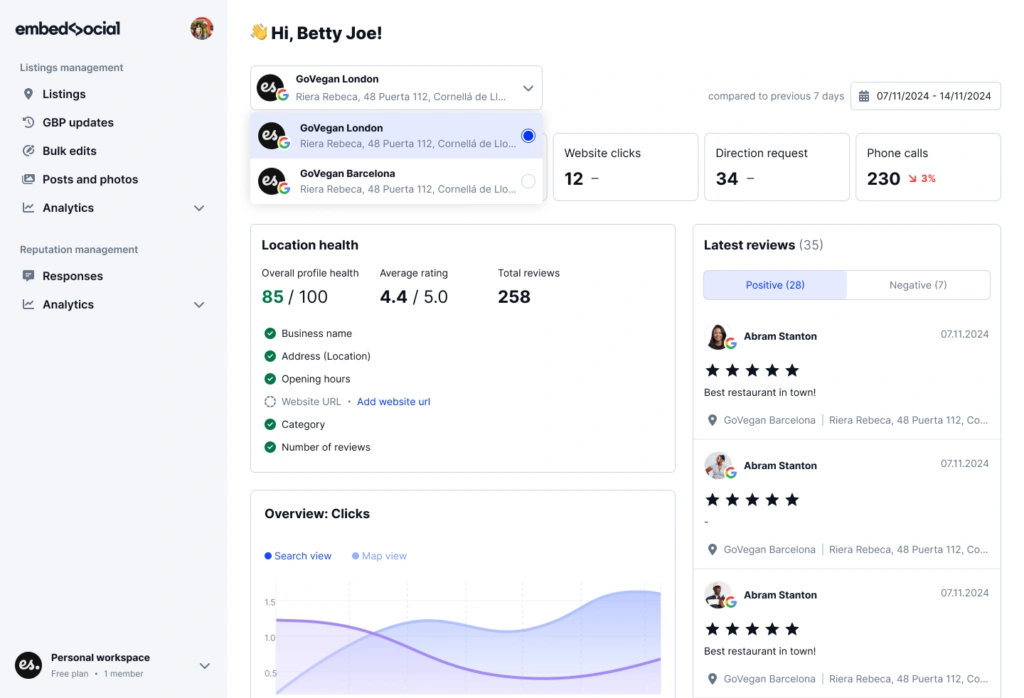
Google Business Profile posts work as dynamic mini-advertisements that show up directly in Google’s search results and maps. These digital bulletins let you connect with potential customers right when they search for businesses like yours. These posts reach people who actively look for your products or services, making them a great way to get time-sensitive promotions noticed.
What is a Google Business Profile post?
Your business can create and control Google Business Profile posts as short updates that usually include images or videos, descriptive text, and a link with a call-to-action button. The digital messages work like social media posts but appear directly within your business listing instead of getting lost in a social feed. You can keep them visible for seven days (event posts stay active until the event date passes). The posts can showcase different content types such as announcements, offers, events, and product information.
Where do Google Posts appear in search and maps?
Desktop searches display Google Posts in the knowledge panel below your business description and above your social profiles in the “Posts carousel”. Desktop Google Maps shows them just beneath your primary business information. Mobile searches need some scrolling because posts have moved farther down the business profile over time. Google Maps app users can find your posts by scrolling down in either the “Overview” tab or the dedicated “Updates” tab. Your posts will automatically show up on your Google Business Profile website if you’ve published one.
Why use Google Posts for offers and events?
Posts can substantially boost customer engagement by up to 200% according to Google’s own documentation. They give you free advertising space exactly when potential customers decide where to go or what to buy. The posts help you highlight limited-time offers or upcoming events with urgency-creating elements like expiration dates and special CTAs. Businesses that use event posts consistently have increased foot traffic by as much as 25% when they promote live events or special occasions.
Creating Effective Google Posts
A successful Google Business post requires more than basic text and images. You need to understand the platform’s nuances and technical specifications to capture attention and get results.
How to make a Google Business post step-by-step
The process begins with logging into your Google Business Profile through Google Search. You’ll need to click the “Add Update” button to start your post. The next step lets you choose your post type from options like Update, Offer, or Event. Your message should be clear and concise—you have up to 1500 characters to express yourself. The platform lets you add media by clicking “Add Photo/Video.” Select a high-quality image or video that matches your message. The final step involves choosing an appropriate CTA button before publishing.
Choosing the right post type: Offer vs Event
Update posts help you share general business information and remain visible for six months. Offer posts need a title (under 58 characters), start/end dates, and come with an automatic “View Offer” button. These posts stand out by appearing as banners below business names on maps. Event posts showcase time-specific activities with titles, dates, and optional time slots. Google displays the event as a 24-hour activity when no specific time is set.
Using CTA buttons to drive action
CTA buttons guide customers toward specific goals. You can choose from options like Book, Order online, Buy, Learn more, Sign up, and Call now. The “Learn more” button takes users to detailed information on your website. The “Call now” button works only with your verified business phone number. Your CTA should link to relevant pages—product or contact pages convert better than home pages.
Google Business post dimensions and media guidelines
Images work best at 1200×900 pixels with a 4:3 aspect ratio. While Google accepts images as small as 400×300 pixels, larger images display better on all devices. Videos should be under 30 seconds with a maximum size of 75MB. Non-stock photos get 5.6x more clicks than stock images. It’s worth noting that posts with emojis receive twice as many clicks as those without.
Optimising for Visibility and Engagement
Google Business posts need optimisation strategies that make all the difference. Successful posts come from careful planning and attention to detail.
Incorporating keywords for local SEO
Your Google Business profile posts will appear in relevant searches with strategic keyword placement. Important terms should appear early in your post text. All the same, keyword stuffing can trigger violations. Your business location should be mentioned to help Google understand where you operate, so this improves local visibility. Your content’s searchability improves when keywords about offers, events, or services flow naturally.
Best times and frequency to post
Posting once per week maintains an active profile while each post gets enough visibility. Engagement peaks between 9 AM and 12 PM on weekdays, with another surge from 6 PM to 9 PM. Different industries have specific peak times. Restaurants see the highest engagement during mealtimes (11 AM-1 PM, 5 PM-7 PM). Retail businesses do better on Thursday and Friday afternoons. Tuesdays, Wednesdays, and Thursdays typically generate the highest engagement overall.
Using UTM codes to track performance
UTM parameters track Google Business post performance in Google Analytics effectively. Your links should include utm_source=google, utm_medium=organic, and utm_campaign=name_of_offer at a minimum. Proper tagging lets you measure which posts bring website visits, conversions, and micro-conversions like newsletter signups or downloads. Google’s Campaign URL Builder tool helps create these links accurately.
Avoiding common content violations
Google Business posts might face rejection despite proper formatting if they violate content policies. Phone numbers should never appear in post text – this is “phone stuffing”. Your posts should avoid repetitive content, ALL CAPS, excessive emojis, or misleading information. Stricter limitations apply to posts promoting regulated goods like alcohol, tobacco, or pharmaceuticals. Posts need family-friendly content without obscene language or imagery.
Examples and Ideas for High-Impact Posts
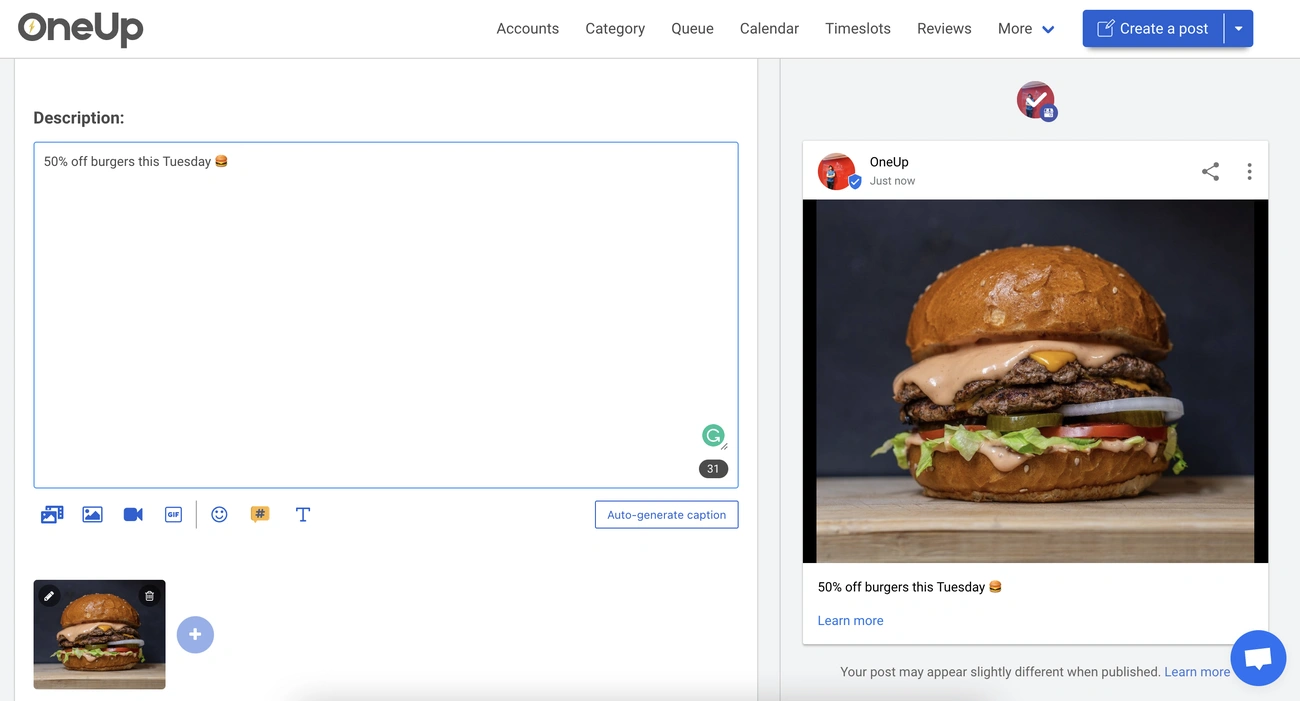
Image Source: How Many Cups in a Quart
Great Google business posts draw inspiration from successful examples. Looking at what works helps boost your interaction rates and conversions.
Google Business post examples for offers
Seasonal deals are a great way to get customer attention: “🌸 Spring Into Savings! 25% OFF all outdoor furniture Valid through March 31st” with a “Shop Now” button. Your limited-time promotions might look like: “⚡ 48-HOUR FLASH SALE! Buy 2, Get 1 FREE on all skincare products”. Research shows that 50% of customers actively seek discounts during their online business searches.
Event promotion post examples
Attention-grabbing workshop announcements work well: “🍳 Learn to Cook Authentic Italian Pasta! Join Chef Marco this Saturday, January 20th at 2 PM”. A grand opening post might read: “🎉 WE’RE OFFICIALLY OPEN! Grand Opening Week Specials: • 50% off appetisers (Mon-Wed)”.
Tips for writing compelling headlines
Your headlines should highlight key information like “Craft market on 15 June”. Strong CTAs such as “Book Now,” “Reserve Your Spot,” or “Get Offer” make posts more effective. The ideal post length ranges from 150-300 characters to ensure readability across all devices.
Using real images vs stock photos
Data shows that posts with authentic photos get 5.6x more clicks. Quality matters as much as authenticity—Google values content that fits the context. High-resolution images (minimum 720×540 pixels) should showcase your business accurately.
Conclusion
Google Business Posts are a chance for businesses to boost their local search presence. These mini-advertisements give you free marketing space right when potential customers search for your services or products. Without doubt, this strategic placement gives you a big advantage over regular social media posts.
In this piece, you’ll learn to create and optimise different types of posts—for offers, events, or general updates. The core team has covered everything from image dimensions to character limits and content guidelines that help your posts stay visible and work well.
The ball is now in your court. Begin with one post every week and track how it performs using UTM parameters. Your strategy should adapt based on what the data tells you. Real images, strategic keywords, and the right CTAs boost engagement rates by a lot.
Companies that regularly employ this feature see improved visibility, get more customer questions, and end up with better conversion rates. Most posts last seven days, which gives you a perfect chance to create fresh weekly content. This keeps your Google Business Profile active and involved.
Your competitors might not see the value of this powerful marketing channel yet. That’s even more reason to apply these strategies now. You can tap into the potential of a 44% performance boost by coordinating your posts with other marketing efforts. This free tool deserves your time and attention.







