


The numbers are eye-opening – 92% of consumers read online reviews before buying anything. What’s more surprising is that 88% of people trust these reviews just as much as recommendations from their friends and family.
Google’s platform stands out as crucial for any business’s review management strategy. Research shows that 98% of customers look at Google reviews first while researching local businesses. About 63.6% of consumers read these reviews to judge if a business is trustworthy. Review signals make up 15% of Google’s local pack ranking factors, which directly affect a business’s visibility and customer growth. Businesses that manage their Google reviews well see amazing results – those with more than 50 reviews earn 35% more revenue than their competitors.
Getting reviews alone isn’t enough to succeed. Businesses need a detailed plan to manage Google reviews, handle feedback properly, and use this tool to grow. Smart companies know that responding to negative reviews can win back 25% of customers they might have lost. This piece explains everything you need to know about managing reviews through Google My Business and turning customer feedback into your competitive edge.
Why Google Reviews Matter More Than Ever
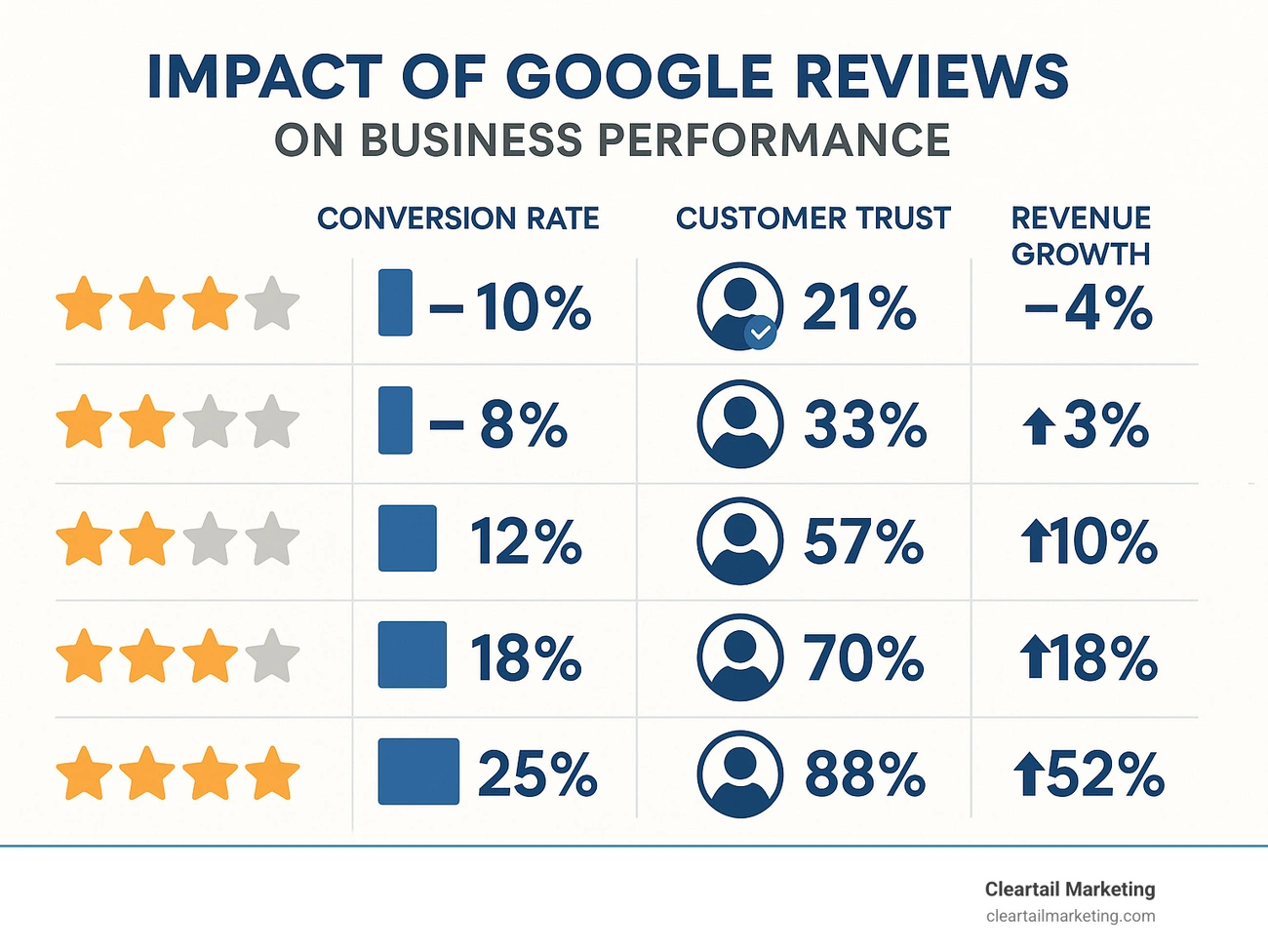
Image Source: Beyond Machine
Google reviews have become a critical business asset, not just a nice addition. Research shows these reviews now affect everything from search visibility to customer conversions.
Impact on local SEO and visibility
Google reviews are key ranking signals that determine a business’s position in search results. Industry research shows review signals make up about 15% of local pack rankings. This gives businesses a great chance to improve their visibility.
Google’s algorithm favours businesses that have strong review profiles. Companies with better star ratings show up more often in Google’s Local Pack, which appears in 93% of location-based searches. Businesses in this Local Pack get 93% more user actions than their competitors who don’t make the cut.
The algorithm looks at several review aspects beyond just the numbers:
- Review velocity (how often new reviews come in)
- Review diversity (from different platforms)
- Review content (keywords in reviews)
- Review sentiment (positive vs. negative feedback)
Businesses that stay on top of their review management build stronger local SEO foundations. This makes them easier to find when potential customers search for their products or services.
Trust and conversion benefits
Google reviews do more than just help visibility—they shape buying decisions. Research shows 82% of consumers read online reviews for local businesses. People spend about 14 minutes reading reviews before they decide.
The time spent reading reviews shows how much customers value them. Yes, it is true that 57% of consumers only pick businesses with 4 or more stars on Google. Review quality can make or break a sale.
Trust plays a huge role here. About 88% of customers trust online reviews as much as tips from friends and family. This shows a big change in how people check out businesses, making review management essential for success.
Businesses that manage their reviews well see better results. Customers spend up to 31% more on products with great reviews, which leads to more revenue.
How reviews influence click-through rates
Reviews have a dramatic effect on how often people click through from search results. This creates a direct link between review management and website visits.
The numbers tell an interesting story. Listings with 5 stars get 69% of clicks from Google’s Local Pack. Those with 4 stars receive 59%. Three-star listings only get 44% of clicks, while businesses with 1-2 stars do worse than those without any reviews.
Moving from 3 stars to 5 stars can boost clicks by 25%. This means more traffic without spending extra marketing dollars—just by managing reviews better.
Star ratings in search results create instant trust. Research shows 56% of consumers choose businesses because of good star ratings in search results. These visual ratings make powerful first impressions on potential customers.
Set Up Your Google Business Profile for Success
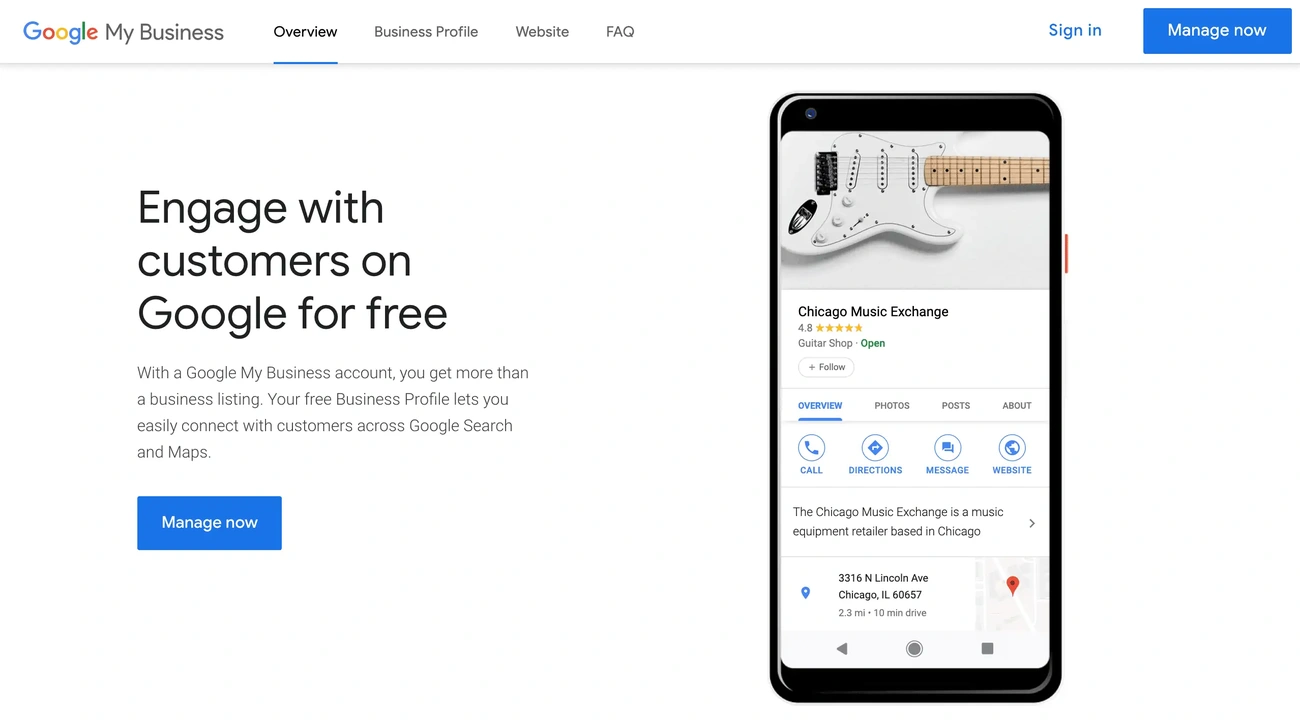
Image Source: sKampakis
A well-laid-out Google Business Profile serves as the foundation to manage reviews effectively. The right profile setup boosts your visibility and makes it easier to collect and manage reviews.
Verify and complete your profile
Profile verification is a vital first step that gives you access to all management features. Your business can’t respond to reviews, update information, or see insights without verification. Google lets you verify your business through several methods based on your type:
- Postcard verification – Google mails a verification code to your business address that arrives within 14 days
- Phone or text – Receive a verification code via call or SMS
- Email – Get verification through your business email
- Video recording – Submit a video showing your business location and proof of management
The postcard method remains most common for most businesses, though Google now offers quick video verification options. Your verification code might become invalid if you change your business name, address, or category during the process, so wait until verification completes.
Your profile needs every section filled out after verification. Businesses with complete profiles get more requests for driving directions and website clicks. Make sure to include your business name, valid address, categories, phone number, and operating hours.
Add photos and business details
Photos make your profile work better. Google states that “Businesses with photos are more likely to receive requests for driving directions to their location, as well as clicks through to their websites, than businesses that don’t have photos”.
You should upload at least three photos for each relevant category:
- Exterior photos that help customers recognise your location
- Interior photos showing your business environment
- Product photos showcasing what you sell
- Team photos displaying your staff
- Action shots of your business in operation
Your photos must meet Google’s technical requirements: JPG or PNG format, between 10KB and 5MB, ideally 720px by 720px. Google’s guidelines don’t allow stock photos, screenshots, or heavily filtered images – they’ll likely get rejected.
The “From the business” section needs a compelling description of your unique offerings, expertise, and business history. This helps potential customers understand what makes you special.
Get your direct review link and QR code
A direct link to your review form makes collecting reviews much easier. This special URL takes customers straight to the review page without any extra steps.
Here’s how to get your review link:
- Go to your Business Profile
- Select “Read reviews” then “Get more reviews”
- Copy the provided link
These links can be long, so a URL shortener like Bit.ly helps create shorter versions you can share in emails, receipts, or social media.
Physical locations benefit from QR codes created from review links. These codes give customers a quick way to leave feedback. Place them at checkout counters, on receipts, in menus, or on business cards. Research shows businesses using QR codes for reviews see a substantial increase in review volume.
Setting up these elements creates a resilient infrastructure to manage Google reviews and use them to grow your business.
How to Get More Google Reviews (Without Breaking Rules)
Your Google Business Profile is ready, and now you need to focus on growing your reviews the right way. Studies reveal that 70% of people will leave a review when someone asks them. This makes a solid plan to collect reviews crucial.
Ask at the right time
The right timing can make a huge difference in getting reviews. You should ask for feedback during “delight moments” – right after customers have a great experience. Restaurants can ask after dessert or with the check. Service businesses see better results when they ask soon after finishing their work. The details of an experience fade from memory quickly, so don’t wait too long to ask.
Use email and SMS follow-ups
Text messages get opened 98% of the time, which makes them perfect for asking for reviews. Your messages should be short and include a direct link to your Google review page. Add a personal touch by using the customer’s name and mentioning specific details about their visit.
Email follow-ups work best with a personal touch and smart timing. You can boost response rates by 60% if you reach out twice, a few days apart. Set up your email marketing system to send these reminders automatically to keep the reviews coming in.
Add review links to receipts and emails
Put your Google review link where customers will see it naturally. Add it to:
- Email signatures
- Order confirmation pages
- Digital receipts
- Thank-you emails
- Appointment reminders
This subtle approach will give customers plenty of chances to leave reviews without pushing too hard.
Use signage and printed materials
Physical reminders work great for in-person customers. Make business cards, table tents, or small handouts with your review QR code. Place these items at checkout or include them with purchases. You might also want to put window clings or posters near exits where customers will notice them.
Run ethical contests or giveaways
Google doesn’t allow you to reward specific star ratings, but you can still encourage reviews the right way. A monthly random drawing for customers who leave honest reviews works well. Just make sure everyone knows that their star rating won’t affect their chances to win. You could say something like: “Every customer who shares feedback this month enters our gift card drawing”.
Note that real reviews matter more than big numbers. Give amazing service first, make leaving reviews easy second, and your review count will grow on its own.
How to Manage Google Reviews Like a Pro
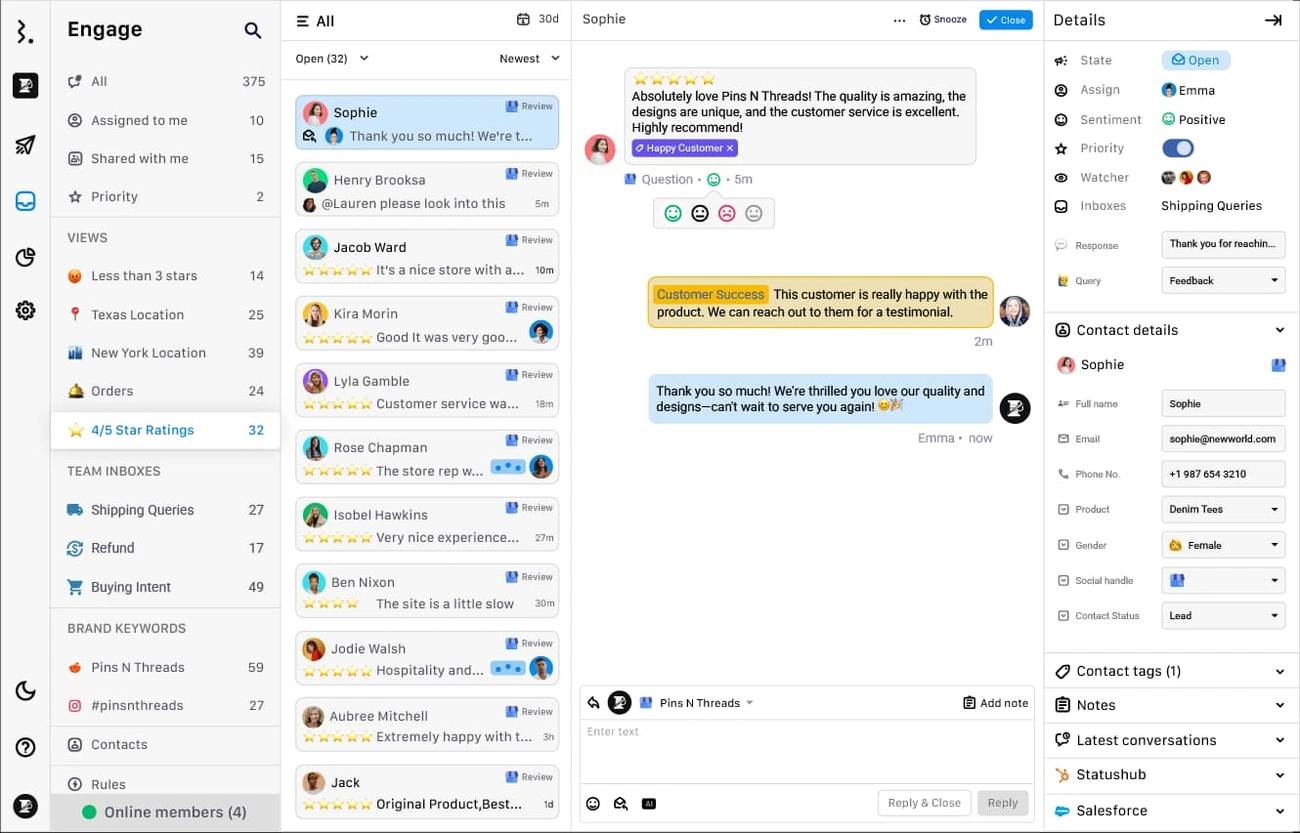
Image Source: Statusbrew
Professional review management goes beyond collecting feedback—you just need to stay in touch with your customers consistently. Studies show that 76% of consumers trust businesses that respond to reviews more than those that don’t.
Responding to positive reviews
Positive reviews give you great opportunities to build stronger customer relationships. You might want to focus only on complaints, but showing appreciation for praise matters just as much. Research shows that businesses get 12% more reviews when they respond to positive feedback.
Here’s how to craft responses to positive reviews:
- Show genuine thanks for the reviewer’s time
- Mention specific details from their review
- Highlight what your business does well
- Ask them to visit again
A thoughtful response shows you care and take responsibility, which helps new customers see how much you value feedback.
Handling negative reviews professionally
Negative reviews need careful handling. Research reveals that 89% of users feel better about a business that responds thoughtfully to criticism. On top of that, 90% of consumers believe polite and respectful responses show the owner’s genuine concern.
Here’s what makes negative review management work:
Quick responses matter—aim to reply within 24 hours. About 59% of customers want answers in three days or less.
Stay professional, whatever the review’s tone might be. Thank the reviewer for speaking up, then apologise for their bad experience without taking blame. Show your steadfast dedication to customer satisfaction and suggest practical ways to fix their concerns.
Reporting fake or spam reviews
You’ll sometimes find reviews that don’t follow Google’s policies. Google lets you report these cases.
Steps to report inappropriate reviews:
- Go to your Business Profile
- Select “Read reviews”
- Click the three dots next to the suspect review
- Select “Report review”
- Choose the violation reason
Google usually takes a few days to assess the review. While waiting, respond professionally and note any inconsistencies without calling the review fake.
Using review management tools
Businesses with lots of reviews can benefit from specialised software. Good review management platforms help track reviews from different sites, offer customisable response templates, and send live alerts for new reviews.
Many tools now include features that spot patterns in customer feedback, helping businesses catch problems early. These platforms also create review links, send automatic follow-ups, and generate detailed reports.
Optimise and Leverage Reviews for Growth
Businesses can transform Google reviews into valuable marketing assets that work beyond basic feedback. Smart companies now blend customer testimonials throughout their marketing channels.
Embed reviews on your website
Your website gains instant credibility when you showcase Google reviews. Research shows that 77% of consumers keep checking reviews while browsing local business websites. A simple review widget on your site creates social proof that can boost conversions by 74%. These authentic testimonials help validate your business, as 43% of online shoppers say customer reviews substantially affect their buying decisions.
Use reviews in social media and ads
Reviews serve as compelling content that extends beyond your website. Your social media presence becomes stronger when you share positive customer feedback. Many businesses turn great reviews into effective ad content and sales conversations. Google offers a marketing kit that helps create promotional materials from your reviews automatically.
Analyse review sentiment and keywords
Customer reviews reveal valuable information about how people perceive your business. Modern tools help analyse the emotional tone in feedback to identify strengths and areas needing improvement. The specific words your customers use tell you what matters most to them. Reviews naturally contain location details and service keywords that help boost your SEO results.
Track review velocity and performance
Your search visibility improves with steady review momentum. Google sees consistent incoming reviews as a sign of business relevance. The best approach focuses on green growth patterns of 10-20% monthly instead of rapid review collection. Your business size determines realistic targets – medium companies should aim for 5-10 reviews monthly, while larger businesses need 10-20+ reviews.
Conclusion
Google reviews are vital for any business that wants to grow in today’s digital world. They do more than just provide feedback – they boost search visibility, build customer trust, and help generate revenue. Businesses that actively manage their Google reviews see real results through better click-through rates and more conversions.
Making the most of Google reviews requires a clear plan. Start by setting up a verified Google Business Profile with great photos and easy-to-use review links. You should ask customers for reviews at the right time and follow up through email and SMS. Your review requests should appear at various customer touchpoints. The way you handle feedback matters too – respond professionally to both good and bad reviews to show you care about customer satisfaction.
These reviews can do much more than their basic purpose. Smart companies turn them into marketing assets by adding them to their websites and social media campaigns. They also study review patterns to find ways to improve. While it takes ongoing work to handle Google reviews well, the benefits make it worth the effort.
Note that customers check reviews before they buy. Businesses that take their online reputation seriously gain an edge over competitors. When you collect, manage and use Google reviews thoughtfully, you can build better customer relationships while boosting your visibility and driving growth.







