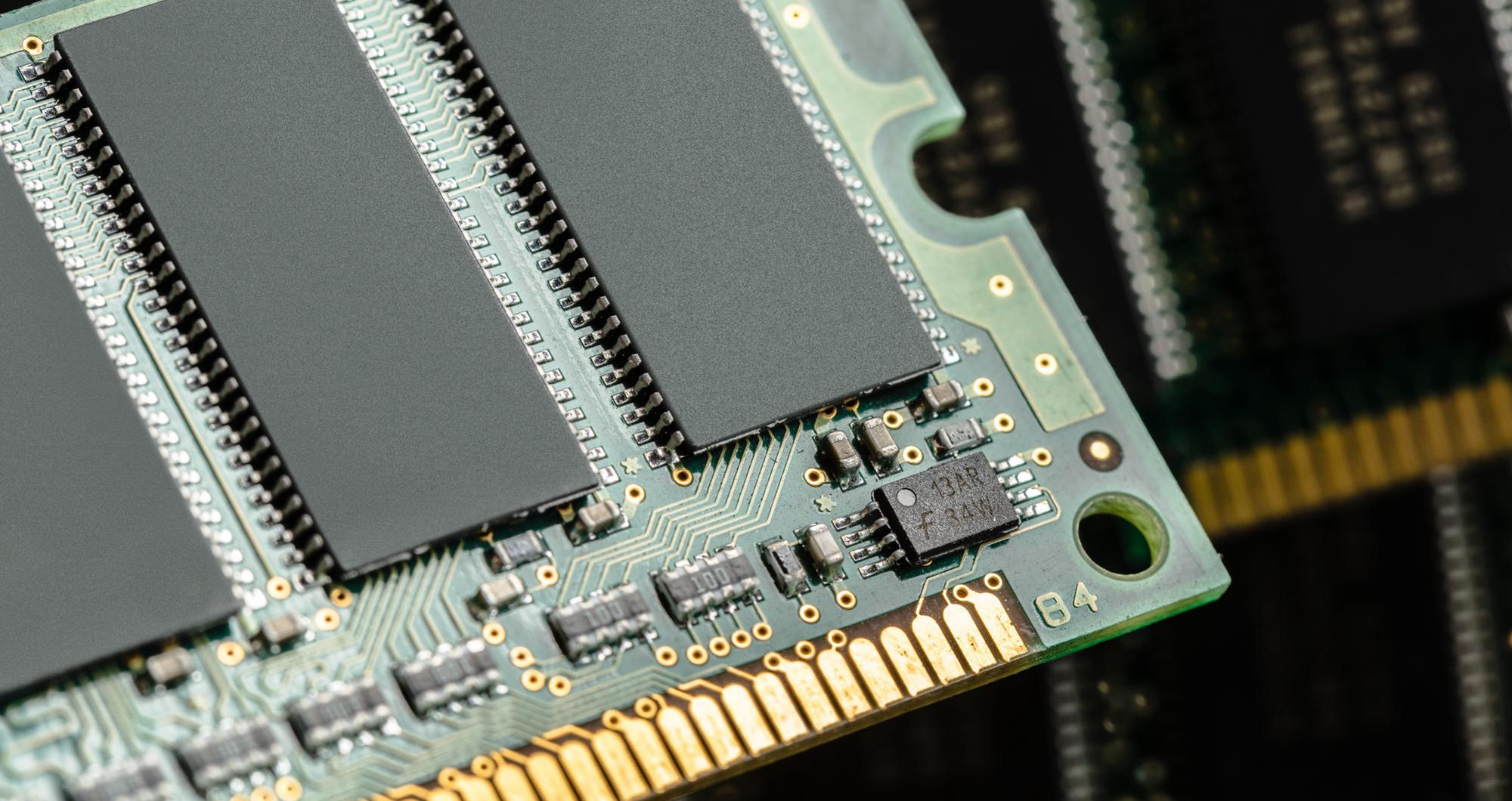

This talk will remind you of that senior engineer who spent 40 minutes trying to troubleshoot a server in production that every now and then would die under load. In the end it turned out he had to re-install the operating system, add some more hardware and re-configure everything from scratch. It looked so good. However, in the end, it turned out the root cause of the problem was simply that the server did not have enough memory. The problem with the server was not that the server was broken, but that it was simply starved of memory. The memory that he had added was not fast enough for the loads this server was under.
This stuck with me a little bit later for a number of reasons, the most relevant being how much memory does to allow a system to function. If you were to fail memory on a system, it would feel like everything failed on the system. And then when you’re trying to scale out a system, you’re trying to make your system better at doing more work. And if the CPUs are really fast, and you’ve got lots of fast SSDs, but not enough memory to begin to process information as it comes in, it’s all for nought.
Servers don’t forgive memory shortfalls
Most people confuse memory with storage space on a computer, and so when more storage is added to a failing computer, they are surprised that the computer does not suddenly begin to run faster.
Storage on the other hand holds your data for long periods of time – years typically. It’s your warehouse full of data waiting to be retrieved and used by your computer. Memory is used to hold your data while your computer is actively using it – in real time. So your workbench in your warehouse would be your Memory storage – a small space to hold a few projects currently under way. In your computer the RAM would represent your workbench – a small amount of space (typically a few GB) to hold your active applications, currently running applications, current data in processes (database, etc). If your warehouse was huge with lots of space for storage but your workbench was teeny, you’d spend a lot of your time traveling back and forth between the warehouse and your workbench, which would greatly affect your performance, as your computer would be spending most of its time ‘waiting’ for more space on your workbench (RAM).
If there is not enough RAM or the memory is slow, then a processor will run slowly. A processor that is not being used is just an expensive computer component to heat up a room.
Servers don’t forgive memory shortfalls
Even on the consumer side of computing, where it is quite normal to have slightly less than the required amount of memory for a certain number of open applications or services, this will usually be no big deal for a computer. The total number of opened applications, or even even the total amount of running services is no problem for today’s computers, be it running 40 web browsers or streaming many high definition videos at the same time – with less than 32 GB of RAM on a 64-Bit computer, you might run into problems here and there though. However, on the server side, things are slightly different. As soon as a thousands of concurrent users are connecting to a database server for example, the situation changes very fast and in a hurry. An application server for micro services also needs a huge amount of memory to store all the different states for all the different services, in a Virtual Host for many Virtual Servers, each Virtual Server will have its own partition of memory for its Guest systems, and if this partition is to small for a certain Guest, then the performance will quickly suffer, and be very slow.
The consequence of not having enough memory for a database server that is processing thousands of queries per second is quite severe. For an application server that is hosting many microservices, each of which requires a significant amount of memory to store the data for that service, not having enough memory can have severe consequences for production operations. A host that is running many virtual machines will see the memory on the host partitioned out among all of the guest servers. Therefore, a memory shortfall on the host will translate into a corresponding shortfall of memory for each of the guest servers. Such a shortfall can have very severe consequences for production operations, consequences that can be easily avoided by paying due attention to the amount of memory required for a new server or application during the capacity planning process.
Senior engineers will normally consider the memory for a server before anything else as memory is typically the first component to require expansion on a server that is running out of capacity. Memory requirements for servers are determined by the amount of memory that a server requires to perform optimally for a particular workload, the speed of memory required for the particular application and whether or not ECC (error-checking and correcting) memory is required to ensure that the server can operate without failure even when memory is being written to in error.
Industrial and embedded systems: a different kind of pressure
We’ve already discussed Computing in previous sections. Consumer Computing as well as Enterprise/Server Computing. But there is also a third type of computing: industrial computing as well as embedded systems. All of these computing systems require memory configuration. Memory configuration for the industrial or embedded system is different than for the consumer or enterprise system. Often the type of memory and the number of memory modules for the industrial or embedded system cannot be interchanged with the memory used for the consumer or enterprise system.
Servers which are put into industrial applications need to fulfill quite different criteria as desktop systems. Due to the often existing higher temperatures within a production it is necessary to select modules which are designed for operation in higher temperatures. For example many DDR4-SOC modules for industrial applications are specified for operating temperatures between 0°C and up to max. 95°C, whereas mainboard slots are typically specified for an operating temperature range between 0°C and max. 40°C up to 35°C. Beside the temperature another critical parameter has to be taken into account during design of industrial production: mechanical stress on connectors and implemented wiring (vibration, bending etc.). Also here a high mechanical stress will lead to problems over time (e.g. loosen contacts). Last but not least also the reliability of the used modules is critical since many industrial applications are running 24/7 without any chance for restart in case of a failure (which would result in high costs for production stop). As a result, memory modules used in industrial environments have to meet a lot of additional and often not familiar specifications from users used to standard desktop or server systems.
- Temperature extremes that would kill a standard module within weeks
- Vibration and physical shock that gradually erodes connections until failures appear seemingly at random
- Continuous uptime requirements measured in years, not months
- Long-term component availability — a production line can’t swap hardware every eighteen months just because consumer-grade parts hit end-of-life
The specs for industrial memory look very different from typical desktop memory upgrade specs. The reason for this is that the environments in which industrial systems are deployed are typically much worse than typical office environments. Thus, the components used in industrial systems must be able to operate in a variety of adverse environments. Industrial memory must therefore be able to operate over higher and lower temperatures than typical desktop memory. It must also be able to withstand physical shock and vibration, and must be able to resist wear and tear over long periods of time.
Speed versus capacity: the question people ask too late
Memory has two essential characteristics: first of all memory has a capacity. These days the capacities of memory are available on the market in an adequate and also affordable manner. The second characteristic of memory is the speed. Here by far the least amount of attention is given compared to the capacity.
| Application type | Key memory concern | Why it matters |
| Video editing / rendering | High capacity + bandwidth | Large asset files need to be held in memory; slow RAM creates visible, workflow-killing bottlenecks |
| Real-time data analytics | Low latency | Query response times are directly tied to how fast memory can serve data to the CPU |
| Gaming/simulation | Speed and dual-channel configuration | Frame pacing and load times degrade noticeably with slow or mismatched modules |
| AI / ML inference | Very high bandwidth | Model weights and activation data are enormous; memory throughput becomes the hard ceiling on inference speed |
Memory can have different effects on different computers so adding more memory is not enough to solve all of the problems on your computer. In addition, having more of the wrong thing will not solve any of the problems on your computer. In fact, this rule can be applied to many things outside of the memory in a computer.
Compatibility. The biggest single cause of failure for memory upgrades.
This means that compatibility problems with memory modules can have very subtle effects and even seemingly random ones. If these types of problems occur, it can take a long time to identify the cause and therefore lead to considerable effort to troubleshoot. The time spent to read the qualified vendor list of a system before purchasing the necessary memory modules could have been enough to avoid all of these problems.
Yes, it is a pain to check a system’s qualified vendor list for memory before you buy it but it is so much worse when troubleshooting for problems that could have been avoided with a few minutes of research beforehand.
A very recent experience serves as an example for this problem. As depicted in the following diagram a server apparently ran fine as a database server for thousands of users. Suddenly, queries took longer and longer. After an afternoon of exhausting analysis (only minutes were required to fix the problem) it turned out that the processor of the database server was barely utilised due to a lack of sufficient RAM. As soon as more was added the problem went away. All of this just to explain that the work that memory does for a system has to be done perfectly in the first place. This is the reason for all the tedium involved in purchasing compatible RAM modules in the first place. Only then it will function invisibly well throughout the lifetime of the rest of the system.