
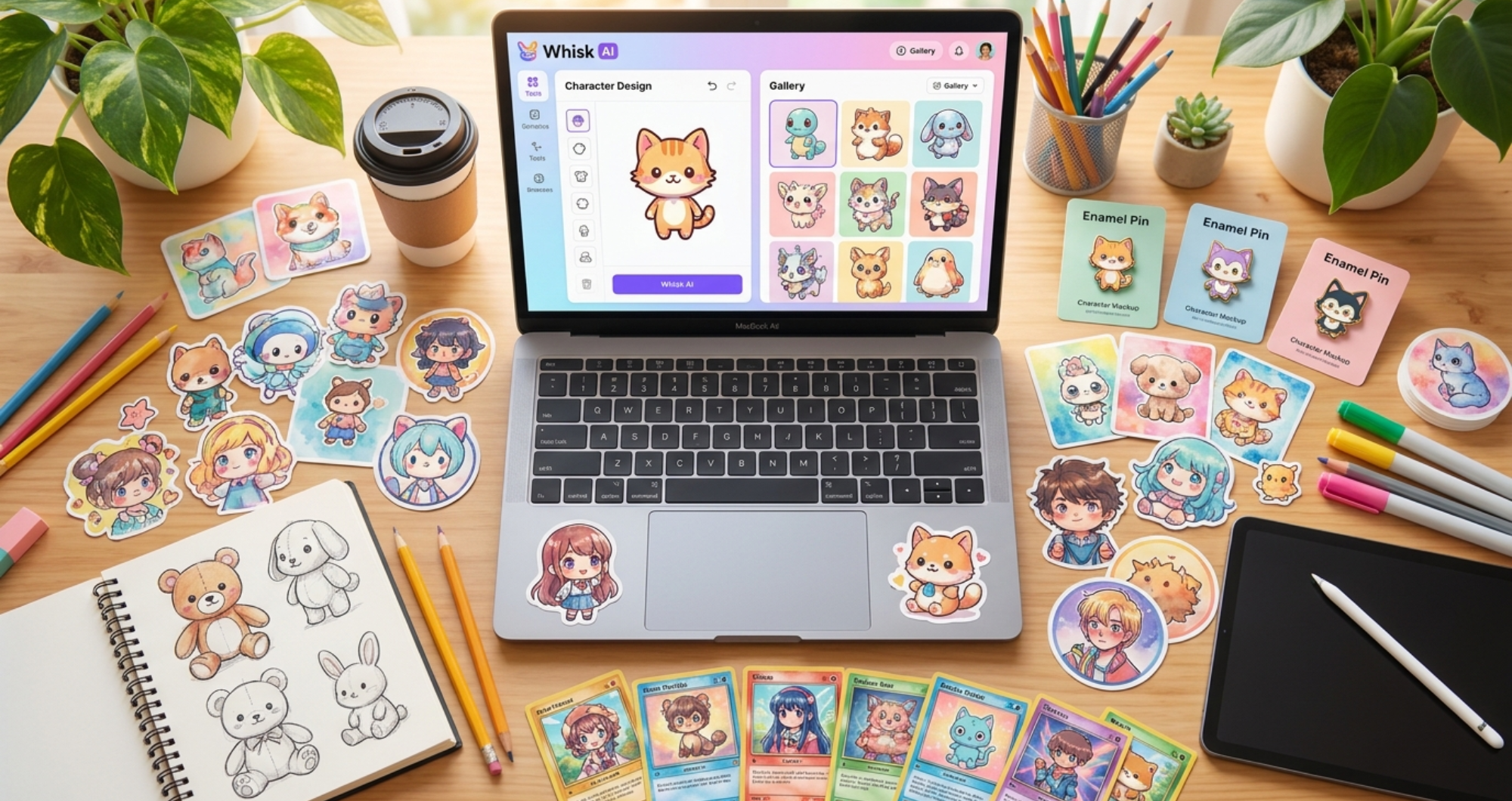

There is a quiet revolution happening on Etsy, Redbubble, and Amazon Merch right now. Thousands of creators — many with zero traditional art training — are building profitable side businesses using AI-generated designs. And one of the most underrated tools for this? Google’s Whisk AI.
Unlike text-to-image generators that require you to master prompt engineering, Whisk AI works differently. You feed it a Subject, a Scene, and a Style — all as visual inputs — and it remixes them into something entirely new. That visual-first approach makes it exceptionally good at producing the kind of stylized, product-ready designs that print-on-demand (POD) customers actually buy.
The global AI image generation market is projected to grow rapidly through the decade, and the print-on-demand industry is riding that same wave. Meanwhile, generative AI adoption continues to accelerate worldwide, pushing more creators into the space every month.
The opportunity is real. Here is exactly how to seize it.
Why Whisk AI Is Perfect for Print-on-Demand Products
Most AI art tools generate images that look impressive on a screen but fall apart when printed on physical products. Whisk AI’s preset style system solves this problem directly.
When you select styles like Sticker, Enamel Pin, Plushie, or Capsule Toy, Whisk automatically adjusts the output to match the visual language of that product category — bold outlines, limited colour palettes, clean silhouettes, and the kind of charming stylization that translates beautifully to physical merchandise.
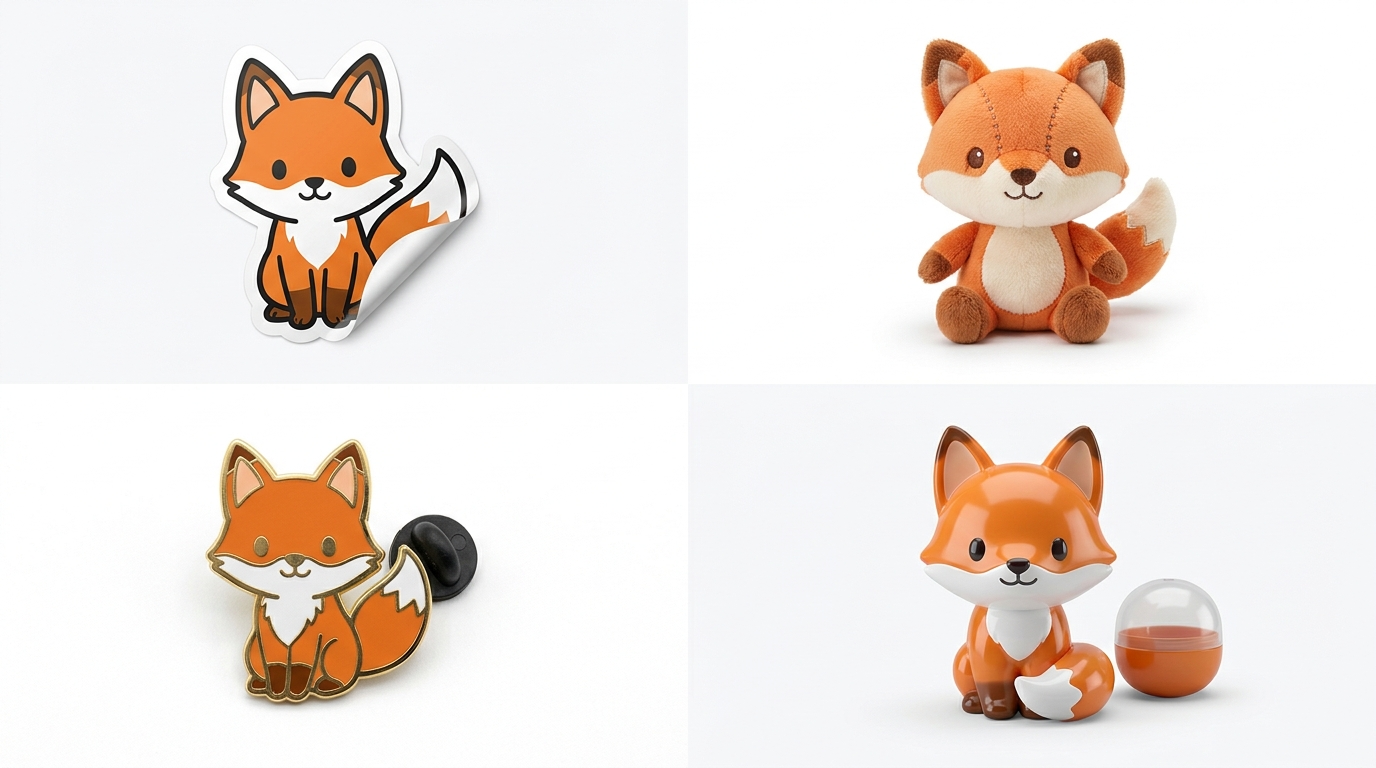
Here is what makes Whisk AI particularly suited for POD:
- Free to use — no subscription, no per-image credit.
- Preset product styles eliminate guesswork about print compatibility
- Visual input system means you can iterate rapidly by swapping subjects, scenes, and styles
- Consistent character generation lets you build cohesive product lines around a single character or them
5 Product Categories That Sell (With Whisk AI Settings)
Let’s get specific. These five product types have proven demand on POD platforms, and Whisk AI handles each one well.
1. Stickers — The Gateway Product
Stickers are the lowest-barrier POD product. They’re cheap to produce, customers buy them impulsively, and Whisk AI’s “Sticker” style preset generates designs that are practically print-ready.
Whisk settings: Use the Sticker style preset. Upload a subject image (your character or object), pair it with a simple scene or leave scene blank, and generate. The output will have bold outlines and a clean silhouette — exactly what die-cut sticker printers need.
Pricing reality: A sticker sheet on Redbubble retails for $3–$7. After the platform’s cut, you earn roughly $1.50–$3.50 per sale. Volume is the game here.
2. Plushie Designs — High Perceived Value
You are not selling actual plushies (yet). You are selling plushie-style artwork on products like throw pillows, tote bags, phone cases, and apparel. The “Plushie” style in Whisk AI generates soft, rounded, huggable-looking character designs that customers gravitate toward.
Whisk settings: Plushie style preset. Subjects with simple shapes work best — animals, food items, and fantasy creatures. The AI adds soft texturing and rounded proportions automatically.
Pricing reality: Plushie-style designs on premium products (throw pillows, hoodies) can retail for $25–$45, with creator margins of $8–$15.
3. Enamel Pin Designs
The enamel pin aesthetic — flat colors, metallic outlines, limited palette — is hugely popular on merchandise even when it’s not an actual pin. Whisk AI’s Enamel Pin preset nails this look.
Whisk settings: Enamel Pin style preset. Keep your subject simple and iconic. The style works best with bold, recognisable shapes.
Pricing reality: Printed enamel-pin-style designs on stickers and apparel sell in the $5–$15 range. If you eventually produce actual pins through manufacturers, margins increase significantly.
4. Capsule Toy (Gacha) Figures
The capsule toy aesthetic is trending hard in 2026, driven by blind box culture and collectible figure popularity. Whisk AI’s Capsule Toy preset generates designs with that glossy, miniature-figure look.
Whisk settings: Capsule Toy style preset. Works beautifully with character subjects — mascots, animals, chibi-style figures. The AI adds the characteristic glossy, toy-like finish.
Pricing reality: Capsule toy artwork on sticker packs and prints sells for $4–$10. The aesthetic is highly collectible, encouraging repeat purchases.
5. Trading Cards — The Collectible Engine
Trading card designs combine illustration quality with a structured format that encourages customers to collect sets. While Whisk AI does not have a specific “trading card” preset, you can achieve the look by using detailed style reference images.
Whisk settings: Upload a trading card as your Style input, your character as Subject, and a thematic background as Scene. Iterate until the composition fits a card format.
Pricing reality: Trading card prints and poster sets sell for $8–$20. The collectible nature drives customers to purchase multiple designs.
Step-by-Step: From Whisk AI to Your First Sale
Here is the complete workflow, from opening Whisk to receiving your first payment.
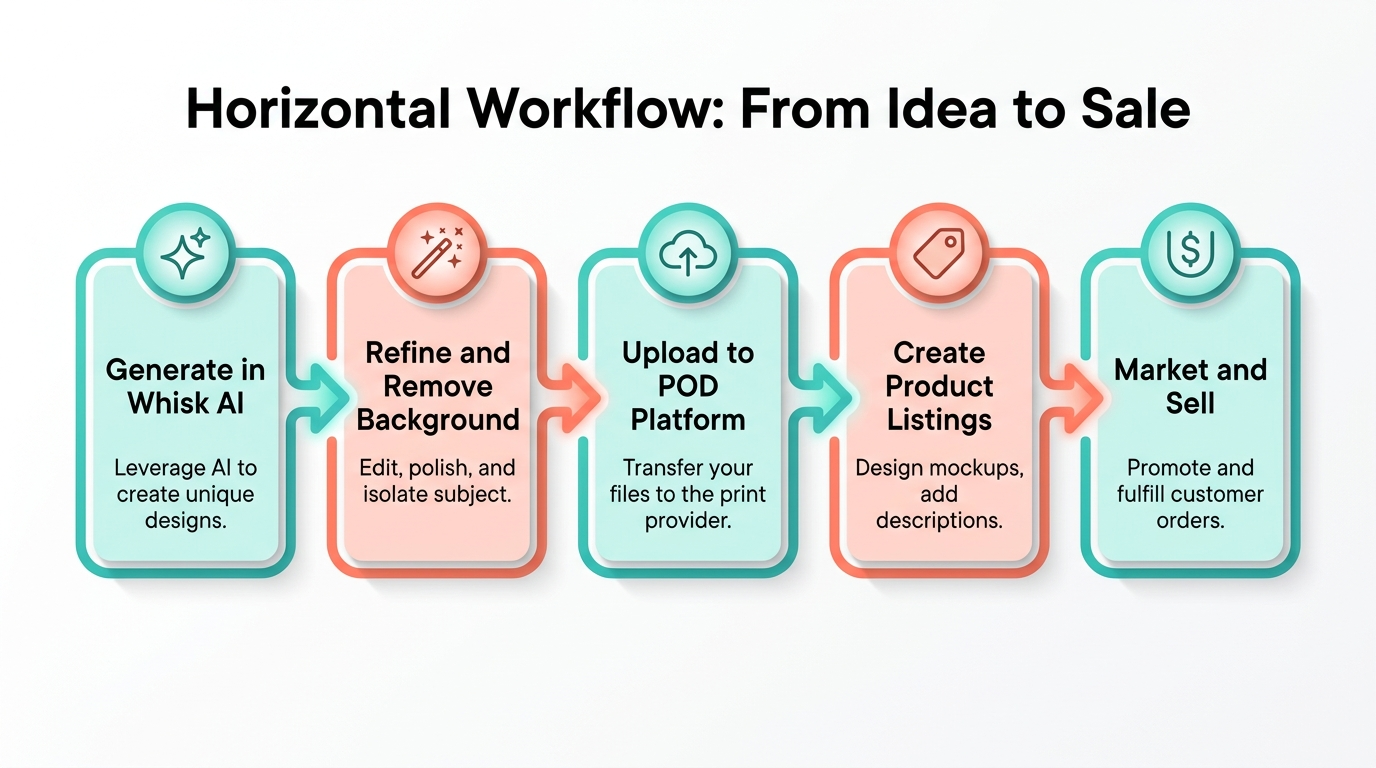
Step 1: Generate Your Base Design in Whisk AI
- Go to Whisk AI (free with a Google account)
- Upload or generate your Subject — the main character or object
- Optionally add a Scene — background context (keep it simple for products)
- Select your Style — choose the product-appropriate preset (Sticker, Plushie, Enamel Pin, etc.)
- Click Generate and review the results
- Generate multiple variations — you want 10–20 options to choose from
Pro tip: For product designs, simpler subjects with clean silhouettes consistently outperform complex, detailed ones. A single cute fox beats a busy forest scene every time.
Step 2: Refine and Prepare Your Design
Whisk AI outputs need minor cleanup before they’re product-ready:
- Remove backgrounds using free tools like remove.bg or Canva’s background remover
- Upscale if needed — Whisk outputs at decent resolution, but tools like Upscayl (free, open-source) can double or quadruple the resolution
- Check the silhouette — for stickers and die-cuts, the outline should be clean and unbroken
- Colour check — ensure colours are vibrant enough for print (screens display brighter than print)
Step 3: Choose Your POD Platform
Each platform has different strengths:
| Platform | Best For | Commission/Fee | Effort Level |
| Redbubble | Stickers, apparel | Platform takes ~50% | Low (upload & tag) |
| TeePublic | T-shirts, hoodies | Fixed royalty ~$4–$6 | Low |
| Printful + Etsy | Premium products | ~30% total fees | Medium (you manage shop) |
| Amazon Merch | Scale & visibility | ~70% to Amazon | Low (but approval needed) |
| Society6 | Art prints, home decor | Platform takes ~60–70% | Low |
For beginners, start with Redbubble (easiest) and Printful + Etsy (best margins). You can always expand later.
Step 4: Create Optimised Listings
Your listing quality matters as much as your design quality:
- Title: Include the product type and descriptive keywords (“Cute Fox Sticker – Kawaii Animal Vinyl Decal”)
- Tags: Use all available tag slots. Mix broad terms (“cute sticker”) with specific ones (“kawaii fox vinyl sticker laptop decal”)
- Description: Tell a mini story about the design. Mention use cases (laptop, water bottle, notebook)
- Mockups: Use the platform’s mockup generator to show your design on actual products
Step 5: Market and Iterate
Your first designs probably won’t go viral. That’s normal. The creators earning consistent income follow this pattern:
- Upload consistently — aim for 5–10 new designs per week
- Track what sells — double down on winning themes and styles
- Build collections — a “Cosy Animals” series of 12 designs sells better than 12 random designs
- Share on Pinterest and Instagram — both platforms drive significant traffic to POD stores
- Seasonal timing — design for holidays 6–8 weeks in advance
The Numbers: What Can You Actually Earn?
Let’s be honest about the economics. This is not a get-rich-quick scheme. It is a legitimate creative business that compounds over time.
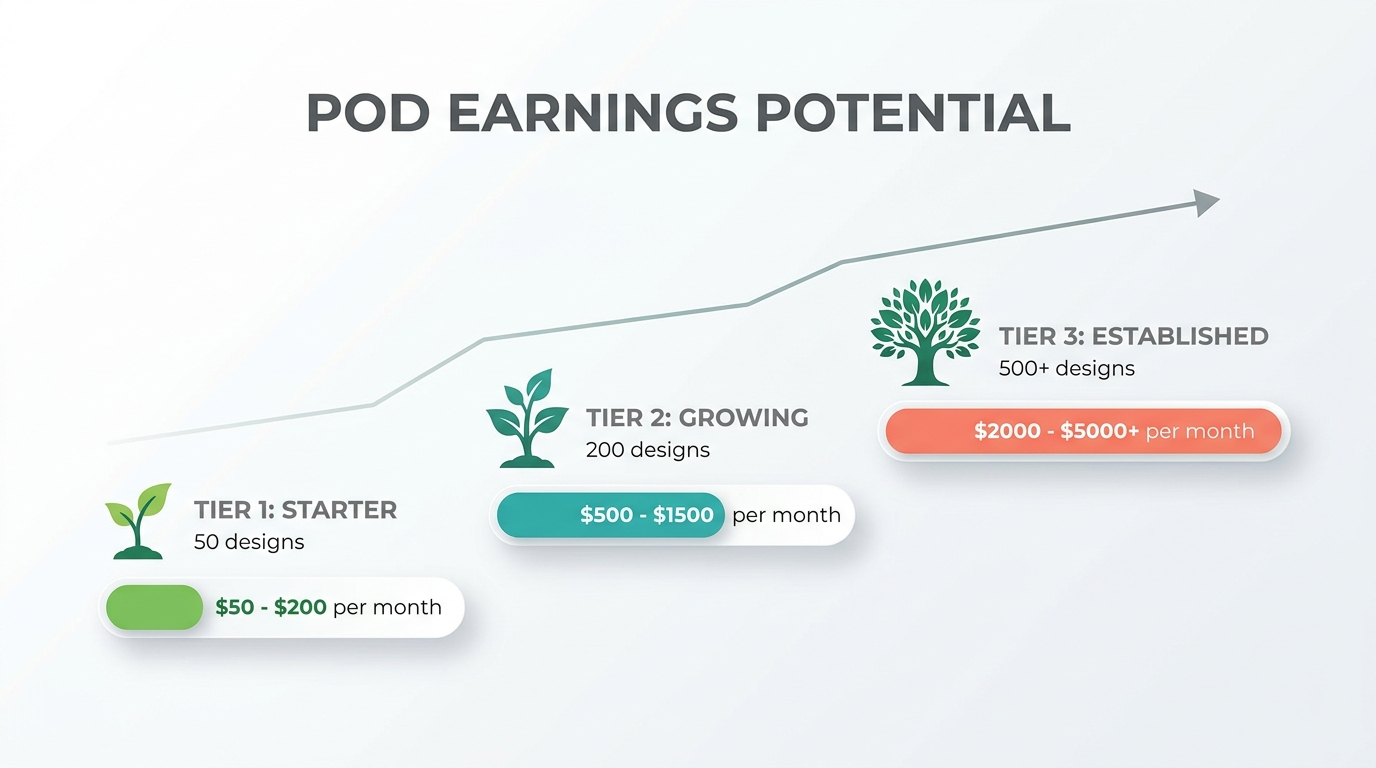
Realistic timeline:
- Month 1–3: 50–100 designs uploaded. Revenue: $50–$200/month. You’re learning what works.
- Month 4–8: 200+ designs. Revenue: $500–$1,500/month. Winning designs are carrying the catalog.
- Month 9–12: 500+ designs with refined strategy. Revenue: $2,000–$5,000/month. Compounding effect kicks in.
Key cost breakdown:
- Whisk AI: Free
- Background removal tools: Free (remove.bg free tier) to $9/month (Canva Pro)
- POD platform: Free to list (they take a cut per sale)
- Etsy shop: $0.20 per listing + transaction fees
- Total startup cost: $0 to $10/month
The math is compelling. With virtually zero upfront investment, even modest sales volume generates pure profit. The constraint is not money — it’s consistency and design volume.
Quality That Sells vs. Hobby Quality
There is a clear line between designs that generate consistent sales and designs that sit in your shop untouched. Here’s what separates them:
Designs that sell:
- Clean, isolated subjects with transparent backgrounds
- Bold, saturated colours that pop on product mockups
- Recognisable themes (animals, food, pop culture references, seasonal motifs)
- Consistent style across a collection
- Designed with the specific product format in mind
Designs that don’t sell:
- Complex, muddy compositions that lose detail when printed small
- AI artifacts — extra fingers, weird text, distorted features
- Generic subjects with no emotional hook
- Inconsistent quality across your shop
- Designs that look good on screen but not on products
The inspection checklist before uploading:
- Does it read clearly as a thumbnail? (Most customers browse on mobile)
- Is the background fully transparent?
- Would you put this on your own laptop/shirt/wall?
- Does it fit visually with the rest of your collection?
- Are there any visible AI artifacts?
If the answer to any of these is “no,” go back to Whisk and generate another variation. The tool is free — use it liberally.
Future-Proofing: The Google Flow Transition
Here is the important news you need to plan for: Whisk AI is moving to Google Flow on April 30, 2026. This is not the end — it’s an upgrade.
Google Flow incorporates everything Whisk does and adds powerful new capabilities:
- Higher resolution outputs — better for large-format prints and posters
- More granular style control — fine-tune the exact look of your product designs
- Video generation — create animated versions of your designs for social media marketing
- Improved consistency — generate multiple characters in the same style more reliably
What you should do right now:
- Start building your design catalog in Whisk today — every design transfers to your POD shops regardless of what tool you used to create it
- Save your favourite style reference images — you’ll be able to use them in Flow the same way
- Familiarise yourself with the Flow interface — it’s available now in Google Labs
- Don’t panic — the visual-input workflow you’ve learned in Whisk carries directly into Flow
The transition is an opportunity, not a disruption. Creators who have built their workflow around Whisk’s visual remixing approach are perfectly positioned to take advantage of Flow’s expanded capabilities.
Start Today: Your First-Week Action Plan
Don’t overthink this. Here’s your week-one checklist:
Day 1–2: Setup
- Create accounts on Redbubble and Etsy
- Open Whisk AI and experiment with all preset styles
- Generate 20–30 designs across different styles and subjects
Day 3–4: Refine
- Select your 10 best designs
- Remove backgrounds and upscale as needed
- Create a cohesive mini-collection (e.g., “Cute Kitchen Foods” — 5 food characters in sticker style)
Day 5–7: Launch
- Upload your first collection to Redbubble (enable all product types)
- Create your Etsy shop with Printful integration for 2–3 premium products
- Share your best designs on Pinterest with relevant keywords
- Generate 10 more designs to start building momentum
The print-on-demand business rewards those who start imperfect and improve over time. Whisk AI removes the biggest barrier — you don’t need to be an artist. You need to be consistent, strategic, and willing to learn what your market wants.
Your future product line starts with a single click of the Generate button. Make it today.







