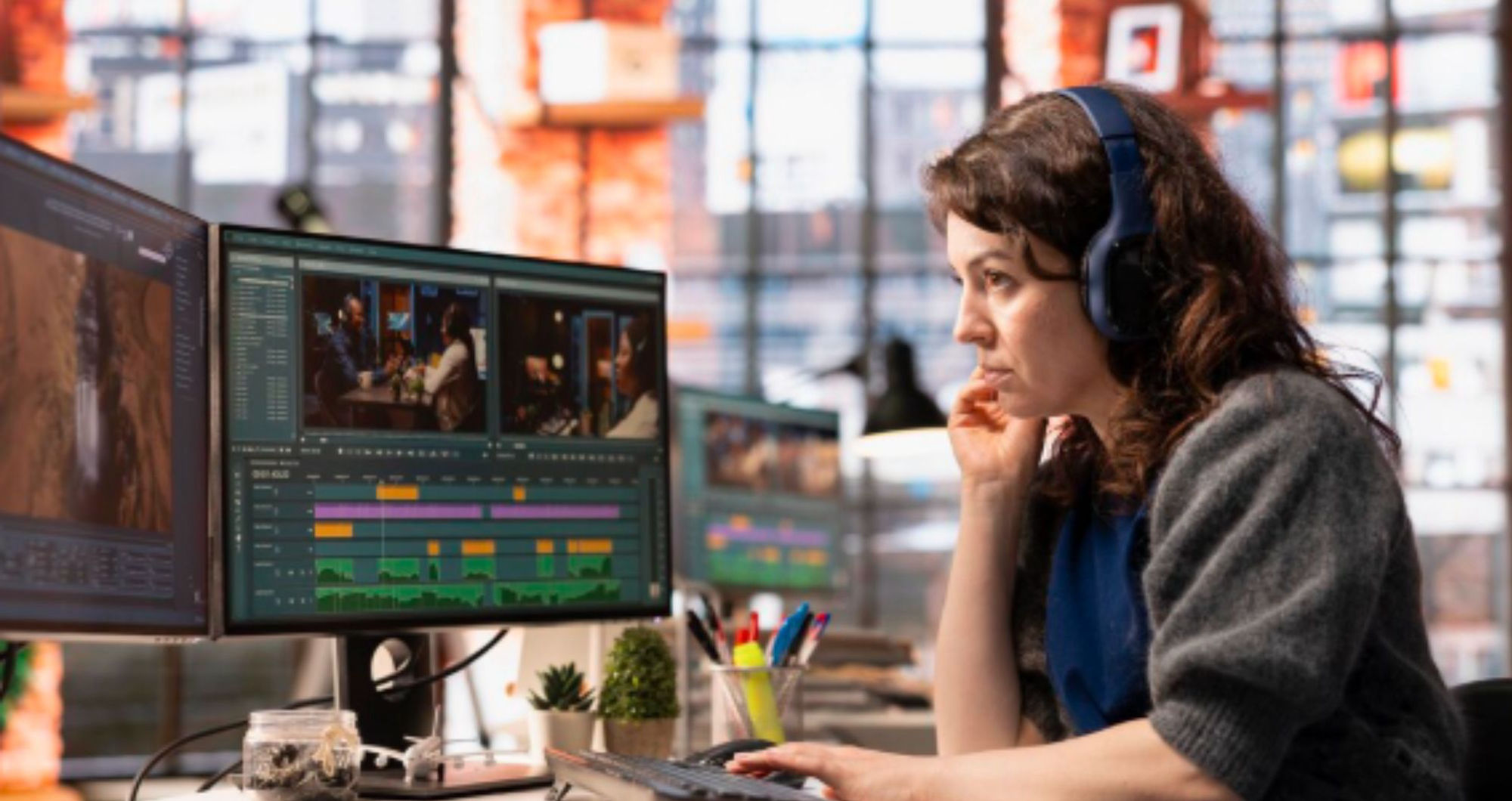

The shift between photography and video presents enormous commercial and creative opportunities, but often creates an enormous bottleneck in post-production. For every hour of captivating footage captured, photographers-turned-videographers can face four, five, or even ten hours of tedious editing work.
It is a daunting task to sort through videvfzo clips, syncing audio, and applying consistent hues–too much effort and reduces output. But a new breed of automated video editing tools is making this process more efficient.
Through the use of artificial intelligence to handle repetitive tasks, they can create an efficient video culling and grading workflow that transforms a lengthy process into an efficient productive and creative approach. This guide explains how to incorporate these powerful tools to free up your time, and increase the size of your production.
The Post-Production Bottleneck: Why Traditional Editing Drains Creativity
The conventional video editing pipeline is a continuous sequence of manual labor-intensive jobs:
- Ingest & Organisation: Manually moving files off cards and changing the name of clips.
- Culling and Logging: This is the most demanding stage. It is the process of scrolling through endless footage in order to identify good shots (“Selects”) while also having to eliminate poor ones (blurry, shaky lost times).
- Assembly and Sequencing: Construction of a rough cut, by dropping the clips you want to use onto a timeline, in the correct order.
- Colour Correction and Grading: The manual adjustment of the white balance, exposure and the hue of every individual clip in order to create the same, elegant appearance.
- Audio Syncing and Cleanup: The process involves aligning audio files with video footage, and also the reduction of background noise.
- The Final Step: It is adding the titles, images as well as music to final exports.
If you’re a photographer, 2, (culling), along with the 4th step (grading) are generally unfamiliar and take a long time. Your eyes are trained to detect the most important moment of still frames and not to determine the top 5-second portion of 10 minutes of video.
The skill you have is applying a preset on the image in a single touch and not having to painstakingly match the hue of 200 videos shot under the changing lighting. That’s where automated video editing tools can make a significant change.
Edit Smarter, Not Harder: How AI is Automating the Video Workflow
The latest video editing software uses machine learning and computer vision to evaluate your raw footage and complete jobs that previously required the input of a human and manual judgment. They aren’t a substitute for the editor. They function like a powerful assistant who helps you prepare everything for your final artistic edit.
Core Automated Capabilities:
- Intelligent Culling: AI examines video for technical excellence (focus and stability, as well as exposure) as well as content (detecting faces, smiles, things, changes in the scene). The AI will flag automatically those with the highest quality footage or create rough edits in accordance with your preferences. This is what makes an efficient culling of video.
- Auto-Reframing & Cropping: Tools can track the main subject in a shot and automatically create social-media-friendly versions (e.g., converting a widescreen shot to a vertical 9:16 ratio for TikTok or Reels), saving hours of manual keyframing.
- Automatic Colour Matching and Grading: This can be the game-changer for uniformity. AI is able to examine an “hero” clip you’ve graded and then apply similar hue corrections to other footage that are in the same project, creating the same look. Certain tools even can compare the colour of the reference image.
- AI-Powered Audio Enhancement: Automatically sync separate audio files, reduce background noise (like wind or crowd hum), and level speech volumes for professional-sounding dialogue.
- Automatic Subtitling and Captioning: AI transcription services can produce accurate subtitles in a matter of minutes. This task manual editing can take much longer than editing itself.
Building Your Streamlined, Automated Workflow
Incorporating these tools doesn’t mean making a robot create the film, but rather carefully removing manual tasks to be able to focus on storytelling. The following is a modern, effective process:
Phase 1: Smart Ingest & AI-Assisted Culling
Action: After you have completed your shoot, transfer all of the footage you have taken to a platform such as Imagen AI (with its ever-growing AI capabilities).
Automated Kick-in: Use the software’s “Scene Detection” or “Best Take Finder” to scour endless hours of video. It’ll identify and save videos with stable images or subjects in focus. It can also identify certain emotions. It then reviews a selected collection of the highlights, but not the whole dump. It is a highly efficient method of culling video and can cut the initial review time by 70 per cent or more.
Phase 2: AI-Powered First Assembly & Rough Cut
Action: Give the AI an easy instruction: “Create a 90-second highlight reel with upbeat moments” or “Assemble interview clips in order of appearance.”
Automation Kick-in: This tool connects clips from various sources and adds basic transitions in accordance with its understanding of pace and content. The narrative is created within minutes. You later refine and alter in a creative way.
Phase 3: Automated Consistency: Colour & Audio
Action: Grading one important video clip in your preferred style. This creates the basis for systemic grade and culling. Upload your audio recorder’s separate files to the project.
Automation Kick-in:
Colour: Make use of “Colour Match” or “Apply Look” options to broadcast those grades over the entire timeline in a flash, and complete all of the efficient video culling and grading process with just one single click.
Audio: The AI connects your audio source flawlessly and then runs the noise reduction preset. Platforms such as Descript let users edit audio through making edits to a transcript of text.
Phase 4: The Human Touch: Creative Polish & Finalisation
Action: Here is where you, the creator you, can take complete charge. After the hard work is done and you are now:
- Fine-tune the editing’s pace as well as emotional flow.
- Make exact colour adjustments to specific photos.
- Create your own motion graphics and titles, custom-designed as well as a music track.
- Review and alter the AI-generated captions to fit your personal style.
Tool Spotlight: Platforms Enabling the Automated Workflow
- AI-powered Editing and Culling: Imagen AI can be a stronghold to use automated video editing tools, with AI to track motion and rotation (object removal) as well as animated video. Descript alters editing methods using audio and video, like text documents which makes it extremely fast to remove “ums” and “ahs” through the elimination of phrases.
- To integrate Professional Workflows: Adobe Premiere Pro has an incredibly integrated AI (Adobe the Sensei) to perform auto-reframing, colour matching, as well as audio cleaning. DaVinci Resolve (especially the free version) provides amazing AI-powered masking of objects as well as noise reduction within a full professional package.
- For Content that is Social-First: Captions.ai and Opus Clip specialise in the auto-generation of small, engaging social clips using long-form films, with auto-captions, emojis and even emojis.
What is the reason? Imagen AI results
If you’re looking to create an effective workflow for video production, Imagen AI is the ideal choice because it can solve the biggest bottleneck in time: consistency in colour grade. It learns about your individual aesthetic and can apply it flawlessly to videos, automating the difficult task of creating the same visual aesthetic throughout all forms of types of media. This transforms hours of manual colour matching into a one-click process that lets you focus on storytelling and editing, instead of technical adjustments.
The Tangible Benefits: Reclaiming Time and Scale
The automated method produces tangible returns:
- The dramatic reduction in time: Change from editing 8 hours into 2-hour refinements. What was once a daily task is now a daily task.
- Scalable Output: This effectiveness lets you undertake more video projects or even create additional material (like social videos) in a single shot to maximise your ROI.
- Improved Creative Energy: Eliminating tedious editing, you can approach it using a new, imaginative mentality that is focused on stories and their impact and not just technical editing.
- Guaranteed Consistency: Automated colour matching ensures your brand style is applied flawlessly to each and every piece of work, further strengthening the visual appeal of your brand.
Conclusion
What’s next for video post-production is not human opposed to machines. It is humans *with* machines. The automated video editing tools provide the basis for this collaboration, taking care of the logic-based, repetitive tasks of efficient video culling and grading.
When you strategically implement these tools they will not compromise your artistic talent; rather, you’re getting rid of the hurdles to creativity. Your focus is able to be only on the aspects that truly are important–story, emotion and artistic vision, while the AI takes care of the rest. It is this streamlined workflow that is the key to unlocking the potential of video.
It allows photographers to extend their capabilities and expand their reach and share more captivating tales without having to be buried within the endless stream of time. Take advantage of automation and let your imagination shine in the direction that shines brightest.