
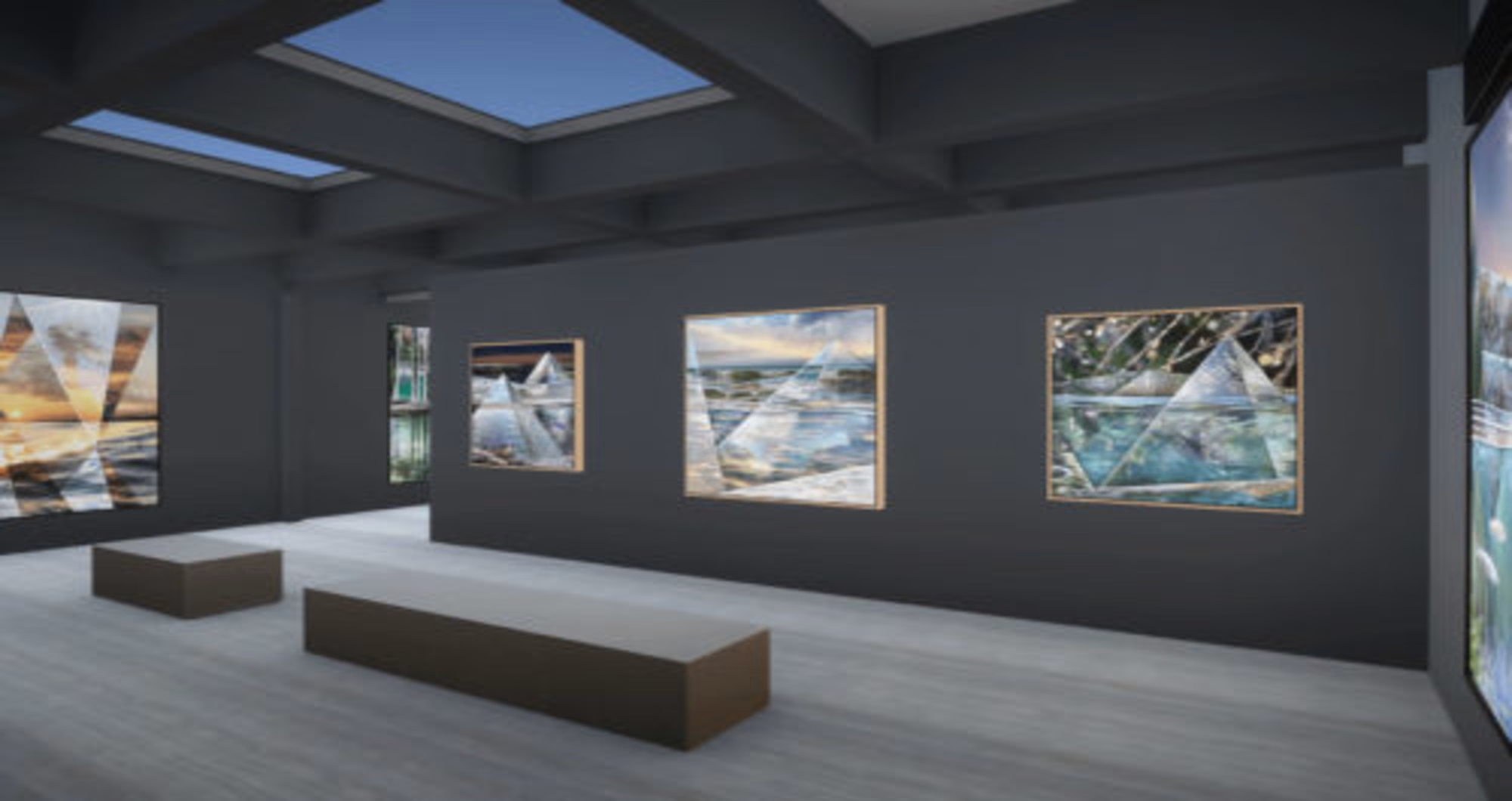

A New Canvas for Curators
The rise of the virtual art gallery has turned curating into a hybrid discipline where aesthetics meet real time 3D engines. Visitors no longer need to book flights to experience a groundbreaking show — high fidelity browsers, VR headsets, and even mobile phones now deliver immersive cultural encounters in seconds. Yet the move from bricks to pixels is more than a change of venue; it demands fresh curatorial strategies, thoughtful UX design, and an understanding of technologies that underpin each 3D virtual art gallery. This guide unpacks the curatorial process for digital exhibitions, from concept to analytics, while spotlighting tools and best practices that keep audiences engaged.
1. Defining a Digital Curatorial Vision
Traditional exhibitions begin with a theme, a checklist of works, and a floor plan. In a vr art gallery, those basics remain, but curators must also set parameters for interactivity, motion paths, and multimedia layers. Ask early:
- Should the visitor walk freely or follow a narrative path?
- Will ambient sound or spatial audio enhance the mood?
- How will text panels, video loops, or AR overlays complement the art?
Answering these questions shapes both asset pipelines and programmatic triggers — critical details if you plan a responsive environment where lighting or music shifts as viewers approach a piece.
2. Building the Digital Floor Plan
Floor plans in a 360 art gallery differ from physical blueprints because gravity, square footage, and building codes no longer apply. Still, spatial logic matters. Use way‑finding cues — coloured paths, spotlighted thresholds, or floating signage — to keep visitors oriented. Leading virtual art gallery software packages offer drag‑and‑drop room builders plus metrics that predict congestion points. Curators can test multiple layouts in minutes, iterating until the virtual flow feels intuitive.
3. Preparing Artwork for a Pixel‑Perfect Display
Digitisation quality directly affects viewer trust. Standard practice includes:
- High‑Resolution Scanning – Aim for ≥ 300 dpi base images; for sculptures, photogrammetry captures geometry and texture maps.
- Colour Profiling – Calibrate monitors during post‑production to ensure accurate hues, crucial for colour‑sensitive media like watercolours.
- Level of Detail (LOD) – Large textures are swapped for lighter versions as distance increases, maintaining performance without sacrificing clarity.
Combining these steps ensures the final art gallery virtual tour feels authentic, whether visitors zoom in on brushwork or orbit a digital sculpture.
4. Lighting and Atmosphere in the Digital Realm
Unlike physical spots and track lighting, digital luminaires obey a game engine’s rules. Curators collaborate with 3D artists to establish:
- Global Illumination for natural light diffusion.
- Baked Shadows to cut GPU load while preserving depth.
- Dynamic Lights for interactive moments — e.g., a dim spotlight intensifies as a visitor nears an artwork.
Lighting doubles as narrative: warm tones evoke intimacy, while stark whites suit minimalist works. Treat it as part of the curatorial toolkit, not a postscript.
5. Integrating Multimedia Layers
Digital exhibitions welcome content impossible in brick‑and‑mortar halls — think animated X‑rays or artist interviews triggered by proximity. Leading virtual art gallery software supports:
- Embedded Video Walls running synchronised loops.
- Spatial Audio Zones where headphones become optional.
- AR Object Overlays that reveal hidden sketches when a visitor clicks a hotspot.
These additions must serve the concept; gratuitous effects dilute the artwork’s voice. Strike a balance by piloting features with small focus groups before launch.
6. Navigation: Free Roam vs. Guided Story
Two paradigms dominate 3D virtual art gallery navigation:
- Free Roam mirrors open museums — visitors wander, creating personal narratives.
- Guided Story resembles a film — camera rails or teleport nodes present works in curated order.
Hybrid models work too: start with a guided introduction, then release users into free exploration. Each choice influences analytics and experience length, so align navigation with exhibition goals, whether education, sales, or brand awareness.
7. Accessibility and Inclusivity
Digital spaces eliminate many physical barriers, yet introduce new ones. Ensure:
- Keyboard and Screen‑Reader Compatibility for non‑mouse users.
- Captioned Audio for visitors with hearing impairments.
- Colour‑Contrast Compliance for text and UI elements.
Meeting WCAG 2.1 guidelines broadens reach and signals professionalism. Remember, accessibility is an audience multiplier, not a constraint.
8. Monetisation Strategies
Virtual exhibitions open diverse revenue streams:
- Ticketing Tiers — basic free entry plus premium backstage tours.
- NFT Drops — mint digital editions linked to physical pieces.
- Sponsorship Zones — brand‑themed rooms or product placements.
When planning commercial layers, maintain curatorial integrity. Excessive branding erodes credibility; subtle integration — like a sponsor logo in a digital catalog — keeps the art front and centre.
9. Launch Checklist and Soft Opening
Pre‑launch, run a private art gallery virtual tour with staff and invited critics. Validate:
- Cross‑device compatibility (desktop, tablet, VR headset).
- Load‑time benchmarks — aim for sub‑10‑second entry on standard broadband.
- Exit intent — inspect heat‑maps to spot rooms where users drop off.
Iterate swiftly; cloud‑hosted builds allow overnight fixes. A polished debut reduces churn and boosts social shares on day one.
10. Post‑Launch Analytics and Continuous Curation
Data replaces the guestbook. Track:
| Metric | Insight |
| Average Session Length | Gauges engagement depth. |
| Hotspot Click‑Throughs | Reveals which features resonate. |
| Artwork Dwell Time | Highlights crowd‑pulling pieces. |
Use findings to rotate artworks, adjust signage, or refine lighting — digital curating is alive, evolving in response to real‑time metrics.
If you need a deeper breakdown of engine benchmarks, cloud‑render streaming, or KPI tracking for 3D spaces, check out this in‑depth virtual gallery technology guide prepared with our partners.
11. Future Horizons: Metaverse and Beyond
As cross‑platform avatars mature, a vr art gallery could host live artist talks where guests appear as holographic twins. Volumetric video will soon allow sculptors to demonstrate carving in real time, viewable from any angle. AI curators might dynamically reorganise rooms based on visitor sentiment analysis, keeping each visit fresh. The line between exhibition and interactive world blurs — and curators who master these tools will lead cultural discourse.
Closing Reflection
Curating in a digital dimension reimagines what an exhibition can be — interactive, data‑driven, and infinitely scalable. With thoughtful planning, robust virtual art gallery software, and an artist‑centric mindset, curators can craft experiences that transcend geography while honouring the essence of the work. The gallery is no longer confined by walls; it now stretches across cables and clouds, inviting global audiences to engage with art in ways limited only by imagination.







